
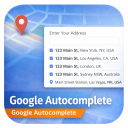
AutoComplete Address Checkout For WooCommerce
Speed up WooCommerce checkout with Google Places address autocomplete. Auto-fill billing & shipping address fields instantly — fewer errors, faste …
Will this break my store?
What the WordPress.org registry says about keeping AutoComplete Address Checkout For WooCommerce running.
Tested to 7.0.2 — 1 branch behind 7.1
Tested against the WordPress branch in use today.2 months ago
7.4
Your host must be running at least this version.5.0
woocommerce
These must be installed and active first.1
A single maintainer. Worth knowing if the plugin is load-bearing for your store.Maintenance & trust
Scored on how AutoComplete Address Checkout For WooCommerce is looked after — not on how many stores run it.
Maintenance
35 / 35WordPress compatibility
20 / 20Support responsiveness
Not enough dataMerchant satisfaction
Not enough dataListing transparency
7 / 10Ratings
No one has rated this plugin on WordPress.org yet. That is a statement about the ratings page, not about the plugin — plenty of well-kept plugins never collect them.
AutoComplete Address Checkout For WooCommerce integrates Google Places API into your WooCommerce checkout to deliver instant address suggestions as customers type. Billing and shipping address fields are auto-filled in one click — reducing cart abandonment, eliminating typos, and improving the overall checkout experience.
Whether you’re running a classic WooCommerce checkout or the new Gutenberg block-based checkout, this plugin works seamlessly with both.
🔗 Documentation | Pro Version | Support
✅ Free Features
- Google Address Autocomplete — Real-time address suggestions powered by Google Places API
- Auto-fill Address Fields — Instantly fills street, city, postcode, state, and country
- Address Line 2 Support — Fills apartment, suite, unit, neighborhood fields automatically
- Classic & Block Checkout Support — Works with both WooCommerce classic and Gutenberg block checkout
- Billing & Shipping Autocomplete — Separate autocomplete for both billing and shipping address forms
- Customizable Address Fields — Choose which fields to show or hide (street number, postcode, locality, state, country)
- Place Types Support — Filter suggestions by location type (addresses, cities, regions, establishments)
- Custom Placeholder Text — Set your own search field placeholder text
- One-Click Installation — Simple setup, no coding required
🔒 Pro Features
- Country-Specific Address Filtering — Restrict autocomplete suggestions to specific countries (e.g. IN, US, GB, AU)
- Up to 15 Country Restrictions — Limit results to your target markets
- Priority Support — Get help directly from the development team
Why Use AutoComplete Address Checkout For WooCommerce?
Slow and error-prone address entry is one of the top reasons customers abandon WooCommerce checkout. This plugin solves that by:
- Reducing checkout time — Customers find their address in seconds
- Eliminating typos — Google-verified addresses mean fewer failed deliveries
- Improving mobile UX — Autocomplete is especially powerful on mobile keyboards
- Supporting global stores — Works with addresses worldwide
How It Works
- Install and activate the plugin
- Enter your Google Maps API key in the settings
- The autocomplete search field automatically appears above the address fields at checkout
- Customers start typing their address and select from Google’s suggestions
- All address fields (street, city, postcode, state, country) are filled instantly
External Services
This plugin connects to the Google Maps JavaScript API to provide address autocomplete functionality.
- What data is sent: Partial address text typed by the customer is sent to Google servers to retrieve autocomplete suggestions. No personal or payment data is transmitted.
- When data is sent: Only when a customer begins typing in the address search field at checkout.
- Google Terms of Service: https://cloud.google.com/maps-platform/terms
- Google Privacy Policy: https://policies.google.com/privacy
Yes. A valid Google Maps API key with Places API and Maps JavaScript API enabled is required. You can get one free from Google Cloud Console.
Yes. The plugin fully supports both the classic WooCommerce checkout and the new Gutenberg block-based checkout introduced in WooCommerce 8.x.
Yes. Separate autocomplete widgets are added for both billing and shipping address fields automatically.
Country-specific address filtering is available in the Pro version. It allows you to restrict suggestions to up to 15 countries by their 2-letter ISO country code (e.g. IN, US, GB).
No. The plugin does not store or log any customer address data. Only partial address text is sent to Google for autocomplete suggestions.
The data transmitted is minimal and strictly necessary for checkout functionality. We recommend mentioning the use of Google Maps in your store’s privacy policy as best practice.
You can filter results by: address (precise addresses), geocode (all geocoding results), establishment (businesses), (regions) (areas and regions), or (cities) (cities only).
Free support is available via the WordPress.org support forum. Pro users get priority support at codesmade.com/contact-us.
Categories
Plugin details
Tags on WordPress.org
Alternatives
Other plugins in the same categories.
Checkout Field Editor (Checkout Manager) for WooCommerce

Fluid Checkout for WooCommerce – Lite

Wallet for WooCommerce


YayPricing – WooCommerce Dynamic Pricing & Discounts
