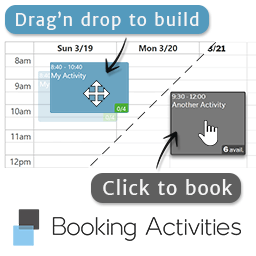
Booking Activities
Reservation system specialized in activities: sports, leisure, courses, events, tourism, and more! Works great with WooCommerce.
5.0
(121 ratings)Will this break my store?
What the WordPress.org registry says about keeping Booking Activities running.
Tested to 7.1.3
Tested against the WordPress branch in use today.3 days ago
At least 3.4 releases a year since launch. WordPress.org only lists versions still available for download, so the real number may be higher.5.6
Your host must be running at least this version.4.1
2
Maintenance & trust
Scored on how Booking Activities is looked after — not on how many stores run it.
92
out of 100Maintenance
35 / 35WordPress compatibility
20 / 20Support responsiveness
12 / 20Merchant satisfaction
15 / 15Listing transparency
10 / 10Ratings
5.0
121 ratingsBooking Activities is a complete booking tool designed for activities.
It is very easy to use:
- Drag and drop your activities onto your schedule.
- Copy / Paste a shortcode to display a booking form. Or integrate it with WooCommerce products.
- Pick an event on this calendar and book it.
Try this reservation tool live on the demo website, or generate a temporary site to test the backend!
Video made with v1.1.1. Booking Activities is constantly evolving.
Main features
★ = Unique feature only Booking Activities has.
Editor
- ★ WYSIWYG: Visually build your plannings
- ★ Drag and drop events directly on the calendar
- ★ Group your events to easily sell bundles, subscriptions, seminars, or events spreading on several days
- Create repeated events (with desired frequency and exceptions dates)
- Unlimited calendars, activities, events and bookings.
- Permission management system: your managers manage only their own calendars and reservations. E.g.: You can set up Booking Activities for a marketplace (Booking Activities can only be managed from the backend).
Booking forms
- Fully customizable forms in a WYSIWYG editor
- Shortcodes to display reservation forms or simple calendars
- ★ Display events from multiple schedules and activities at once
- ★ One-click booking: just pick the desired event(s) on the calendar and click on “Book”!
- Custom action when you submit the form or when you click an event: make a reservation, ★ add a product to cart, redirect to a URL
- Pick multiple events and book them all at once / ★ add them all to cart at once
- ★ Seamless login / registration: embedded in the form and processed with the reservation. You can also book without account, or display a login form only with a shortcode.
- 100% responsive: looks great on mobiles, tablets and computers.
- ★ Set any custom fields and any booking metadata thanks to Advanced Forms add-on
Online payments with WooCommerce
- Calendars are automatically integrated to WooCommerce product pages
- ★ Attach multiple calendars and activities to one WC product
- ★ Cart expiration system: bookings in the shopping cart are temporary
- Auto-validation when payment is completed
- ★ WooCommerce order status and its bookings status are smartly bound
- ★ Automatic refunds by WC coupon or via the gateway (if allowed)
Manage reservations
- Find all your bookings at a glance on a calendar and in a list. Use dynamic filters, sorting, and custom columns
- Booking actions: validate, cancel, reschedule, ★ refund…
- ★ Display your customer’s bookings calendar and their booking list with a shortcode
- ★ Your customers can cancel or reschedule their bookings and ask a refund by themselves
- Export your bookings as CSV and iCal feeds and sync them on spreadsheet and calendar apps (e.g.: Google Sheet, Google Calendar)
Availability options
- Set the booking period: customers can’t book too early or too late
- Make your events private or bookable by multiple users
- ★ Set the min and max bookings allowed per user per event
- Offer some activities to certain user roles only
Notifications
- Automatic emails are sent to both administrator and customer when a booking is made, when its state changes, and when it is rescheduled
- Fully customize and configure all your email notifications
- In multilingual sites, emails are sent to your customers in their own language
- Send activity-specific notifications and reminders via email, SMS and ★ Push thanks to Notification Pack add-on
Translation ready
- Multilingual support with WPML and ★ qTranslate-XT (free plugin)
- ★ Auto-detect and switch languages, date/time format, first day of the week…
- Customize most frontend messages directly in the settings
- Fully translated in English and French. You can also help us translating Booking Activities in your language.
The best inside
- API for developers (PHP actions and filters, JS actions).
- Use the beautiful and handy FullCalendar
- Support WP Multisite
- Support WP privacy tools for exporting and erasing your customers personal data
See the whole features list here.
Extend these features with add-ons:
- Resource Availability: Manage your resource availability and assignment
- Advanced Forms: Add any (paid) custom fields to your booking forms
- Display Pack: Customize your calendars or set alternative display (datepicker)
- Prices and Credits: Set per event prices, decreasing prices, price categories (adults, children, etc.), pay with credits
- Notification Pack: Send activity-specific notifications and booking reminders by email, SMS and Push
- Order for Customers: You can book / place an order in the name of your customers
- Waiting List: Join the waiting list for sold-out events (automatic notification / booking)
See the whole add-ons list here
This plugin is great for… You?
To know if Booking Activities is made for you, you just need to understand how it works:
- You place events on a calendar
- Customers pick them and book them
If this fits your business then give it a try!
This booking system has been specially designed to fulfill the needs of most activity providers:
- For tourism, sport and leisure (nautical, aerial, land, mountain, foot or wheels, outdoor or indoor…)
- For courses, trainings, exhibitions (education, music, drawing, seminar…)
- For cultural activities (museum, theatre / cinema, booking events…)
- For you too, but you are not in this list? Tell us 🙂
We are listening
You are the developers. You have always been.
Booking Activities has been designed and developed in collaboration with activity providers.
Now it is getting better thanks to you.
Then feel free to tell us if you miss a feature, if you find a bug or anything to make your booking system better!
- Documentation
- Report a bug / Request a feature
- Contact us at contact@booking-activities.fr (French and English)
Requirements
- WordPress: 3.6 or later
- PHP: 5.6 or later
- MySQL: 5.7.22 or later (or MariaDB 10.5.4 or later)
- WooCommerce: 3.x or later
- Booking Activities can be used without WooCommerce
Yes, of course. It is basically a reservation system based on event scheduling. In other words, you build your event calendar and allow them to be booked. You can find another purpose to it.
To know if it actually meets your needs, simply try it, it’s free.
If you are on a hurry, you can just check the demo website.
Or read the full features description if you are looking for something in particular.
Create your first calendar
- Go to Booking Activities / Calendar Editor page
- Click on the big ‘+’ button
- Set a title
- In the “Editor” tab, you can set your working hours
- Click on the dialog OK button, the calendar is loading!
Create your first activity
- Click on the ‘+’ button in the ‘Activities’ area
- Set a title, an availability, a color and a duration
- Click on the dialog OK button, the activity is added to the list!
Create your first event
- Drag an activity from the list and drop it on the calendar
- Drag and drop the event to move it
- Mouseover the event and click on its settings wheel to edit its properties
Congrats! You have created your first event schedule
Make sure to have at least one calendar, one activity and one event at a future date
- Go to Booking Activities / Booking forms page
- Select the desired form or create a new one
- Click on the setting gear on the “Calendar” field to set the calendar(s) to display (and many other settings)
- Copy the shortcode given in the “How to integrate this form” area (it looks like
[bookingactivities_form form=""]) - Past this shortcode in any post or page you like
- Go on this post / page frontend, the booking form appears!
/!\ Reservation forms displayed via shortcode are not bound to WooCommerce at all. If you want to bind a WC product to a calendar, check “Use it with WooCommerce” in this FAQ.
Make sure to have at least one calendar, one activity and one event at a future date
- Go to Booking Activities / Booking forms page
- Select the desired form or create a new one
- Keep the “Calendar” field and remove all the others (like “Login/Register”, “Quantity” and “Submit” fields)
- Copy the shortcode given in the “How to integrate this form” area (it looks like
[bookingactivities_form form=""]) - Past this shortcode in any post or page you like
- Go on this post / page frontend, the calendar appears alone!
Make sure the user has bookings and they are logged in, otherwise it will not show anything
- Past this shortcode in any post or page you like:
[bookingactivities_list] - Go on this post / page frontend, the booking list appears!
Depending on BA settings and bookings dates, actions like cancel or reschedule may appear. Try them!
Make sure to have at least one booking form with one event available at a future date
You also need to activate WooCommerce and create one product
- Go to Products / Your Product
- In ‘Product data’ area, check ‘Activity’, a new ‘Activity’ tab appears
- In ‘Activity’ tab, bind the desired booking form to the product
- Go on this product page on the frontend, a booking form appears!
For Variable Products, you need to check the ‘Activity’ checkbox and set a calendar and an activity for each variation.
Yes, you can accept payments for bookings through WooCommerce. Booking Activities is perfectly integrated to WooCommerce:
- Booking forms will appear automatically on product pages
- A cart expiration system is implemented to make sure that bookings in the shopping basket won’t stay in the basket forever, taking the place of someone else
- Bookings are automatically validated when the payment is received, or cancelled if not
- If you change order quantity or state, so do the bookings, and vice versa
Here is a pros and cons analysis:
PROS:
- Customers are engaged, if they book, they come.
- Saves time: customers have already paid.
- Customers can come without money, they can offer the activity to a relative
- Automatic cashing, billing, accounting and stats
CONS:
- May discourage customers, depending on the type of activity you provide and your target
- Takes more time for customers, and more difficult process, higher cart abandonment rate
- You will have to do much more development, administrative and legal procedures, and you will have more expenses (bank commission, maintenance …)
We recommend accepting online payments since it’s a great way to automate your business management and make it grow.
Don’t worry, the reservation is well registered. Now, it is up to you to turn it into “Booked” right away or when your customer comes, or when your customer gives you the money…
But you can just turn the default booking status to “Booked” in Booking Activities settings.
Note that if you use WooCommerce and online payments, booking status automatically turns to “Booked” if the payment is complete, or “Cancelled” if not.
A bot cleans expired bookings hourly. So just wait up to 1 hour.
Usually, users are still on your website when their bookings expire, if so, they are immediately removed.
Else, they will be cancelled later, with the others in that case.
Temporary bookings (such as In cart events) take active slots but may not appear in the booking list.
Go to the “Bookings” page, under the “States” filter select “Delivered”, “Booked”, “Pending” and “In cart”.
Then, just click on “Apply Filters”. Now you can see all kinds of active bookings.
Go to the “Bookings” page. Under the “States” filter, select all the available status.
Click on “Apply Filters” and then you will be able to see inactive bookings (cancelled, expired, removed, refunded, refund requested).
If you enabled the “Asynchronous email” option in Booking Activities settings (“Notifications” tab), emails will be sent the next time someone (anyone) loads any page of your website.
Then, you only need to refresh or visit any page of your website and then check your inbox.
If you disable the “Asynchronous email” option, then the loading will last until the email is actually sent.
We answer within 48h. You can contact us in many ways:
– By email at contact@booking-activities.fr
– On WordPress support forum
– On GitHub issue tracker
If you don’t receive a reply within 48h by email, a technical problem has probably occurred, please try again, or try on another medium.
Categories
Plugin details
Tags on WordPress.org
Alternatives
Other plugins in the same categories.
Subscriptions for WooCommerce with Stripe Recurring Payments

Eventin – Event Calendar, Tickets, Registration, Booking & WooCommerce


Easy Booking – WooCommerce Booking & Reservation Plugin

Milo Subscriptions – Subscriptions for WooCommerce and Recurring Payments