

CityCourier – Local Courier Booking & Tracking System
Courier booking form with Google Maps integration, distance-based pricing, delivery zones, map picker, and order tracking. Built for WooCommerce.
Will this break my store?
What the WordPress.org registry says about keeping CityCourier – Local Courier Booking & Tracking System running.
Tested to 6.8.9 — 3 branches behind 7.1
A branch or two behind — normal for a plugin between releases.12 months ago
At least 4.7 releases a year since launch. WordPress.org only lists versions still available for download, so the real number may be higher.7.2
Your host must be running at least this version.5.6
1
A single maintainer. Worth knowing if the plugin is load-bearing for your store.Maintenance & trust
Scored on how CityCourier – Local Courier Booking & Tracking System is looked after — not on how many stores run it.
Maintenance
26 / 35WordPress compatibility
14 / 20Support responsiveness
Not enough dataMerchant satisfaction
Not enough dataListing transparency
7 / 10Ratings
No one has rated this plugin on WordPress.org yet. That is a statement about the ratings page, not about the plugin — plenty of well-kept plugins never collect them.
⚠️ WooCommerce is required.
CityCourier uses WooCommerce to generate courier orders, store customer information, and provide delivery tracking.
CityCourier is a modern, lightweight WooCommerce courier plugin that allows local delivery businesses to accept courier bookings with distance-based pricing, Google Places autocomplete, and automatic order tracking.
The plugin includes a clean and responsive courier form, auto-generated tracking page, and advanced Google Maps-based features.
Features (Lite – Free Version)
✔ Customizable courier booking form
✔ Google Places address autocomplete
✔ Google Distance Matrix distance & duration calculation
✔ Km-based price calculation
✔ Minimum fee & maximum distance restrictions
✔ WooCommerce order creation + email integration
✔ Auto-generated Order Tracking page
✔ Modern, responsive UI
Admin Settings:
– Country restriction
– Currency & symbol
– Per-km pricing
– Minimum service fee
– Maximum distance (km)
– Contact number
– Google Maps API keys
Features (Pro Version)
CityCourier Pro upgrades the basic form into a full delivery management platform.
⭐ Service Zone (Map)
– Draw polygon, circle, radius zones
– Restrict orders outside service regions
– Zone-based pricing support
⭐ Select Map on Form (Interactive Map Picker)
– Draggable pin
– Auto-fill address
– POI suggestions (hotels, sites, workplaces)
– Instant price recalculation
⭐ Business Days & Smart Time Estimation
– Working days & hours
– Smart next-available slot
– ETA based on distance
⭐ Live Route Map on Tracking Page
– Visual pickup → delivery route
– Distance & duration
⭐ Admin Reports (CSV Export)
⭐ Priority Support
More details: https://gksoft.dev/plugins/citycourier/
How It Works
Upon activation, CityCourier automatically creates:
– Courier Form page: [citycourier_form]
– Courier Tracking page: [citycourier_tracking]
Customers can:
– Enter pickup & delivery details
– Select map location (Pro)
– View instant delivery fee
– Choose a time slot
– Track their order
Admins can:
– Manage courier orders via WooCommerce
– View route distance and details
– Configure pricing, currency, API keys, and restrictions
Privacy
CityCourier uses Google Maps APIs only for:
– Address autocomplete
– Distance calculation
– Delivery estimation
No analytics or tracking data is collected.
All order data is stored via WooCommerce according to your site’s policies.
Google terms:
https://maps.google.com/help/terms_maps/
https://policies.google.com/privacy
Plugin details
Tags on WordPress.org
Alternatives
Other plugins in the same categories.
Advanced Shipment Tracking for WooCommerce

WebToffee WooCommerce PDF Invoices, Packing Slips, Delivery Notes & Shipping Labels

Advanced Woo Labels – Product Labels & Badges for WooCommerce
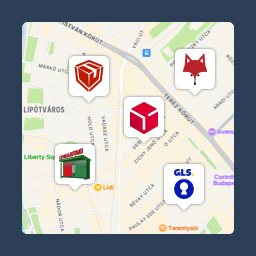
Csomagpontok és Címkék WooCommerce-hez

Advanced Product Labels for WooCommerce
