
Continue Shopping for WooCommerce
Easily change the 'Continue Shopping' link when redirected to the Cart after adding a Product.
4.3
(12 ratings)Will this break my store?
What the WordPress.org registry says about keeping Continue Shopping for WooCommerce running.
Tested to 6.8.6 — 3 branches behind 7.1
A branch or two behind — normal for a plugin between releases.12 months ago
At least 1.5 releases a year since launch. WordPress.org only lists versions still available for download, so the real number may be higher.false
Your host must be running at least this version.4.2
3
Maintenance & trust
Scored on how Continue Shopping for WooCommerce is looked after — not on how many stores run it.
70
out of 100Maintenance
26 / 35WordPress compatibility
14 / 20Support responsiveness
Not enough dataMerchant satisfaction
10 / 15Listing transparency
6 / 10Ratings
4.3
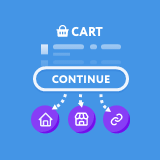
12 ratingsWhen a customer is redirected to the Cart page after the addition of a product, there is a ‘Continue Shopping’ button. As default, this button takes the customer back to your website Home Page.
This can be very annoying for customers who want a smooth flowing shopping process.
This can now be solved with the click of a button. This plugin adds a list of options into the WooCommerce Settings page that allows you to easily alter where this button will take your customers.
You can choose between the preset locations below:
– Homepage
– Shop
– Most recently visited Product
– Most recently visited Category
Finally there is a fifth option of your own custom link. This can be used to allow you to push customers back to a custom Landing page, or your best selling product.
This plugin allows you to quickly and easily change where the WooCommerce standard ‘Continue Shopping’ button takes you. In order for the WooCommerce ‘Continue Shopping’ button to appear you need to set the ‘Add to cart behaviour’ of WooCommerce to ‘Redirect to the cart page’.
Plugin details
Tags on WordPress.org