Fincart Shipping Integration
Connect WooCommerce with Fincart to send, track, and manage orders—including labels & manifestos—directly from your store.
Will this break my store?
What the WordPress.org registry says about keeping Fincart Shipping Integration running.
Tested to 6.8.9 — 3 branches behind 7.1
A branch or two behind — normal for a plugin between releases.5 months ago
At least 3.2 releases a year since launch. WordPress.org only lists versions still available for download, so the real number may be higher.false
Your host must be running at least this version.6.2
woocommerce
These must be installed and active first.1
A single maintainer. Worth knowing if the plugin is load-bearing for your store.Maintenance & trust
Scored on how Fincart Shipping Integration is looked after — not on how many stores run it.
Maintenance
35 / 35WordPress compatibility
14 / 20Support responsiveness
Not enough dataMerchant satisfaction
Not enough dataListing transparency
6 / 10Ratings
No one has rated this plugin on WordPress.org yet. That is a statement about the ratings page, not about the plugin — plenty of well-kept plugins never collect them.
Fincart Shipping Integration lets merchants manage the entire Fincart shipping workflow without ever leaving WordPress.
Create, update, cancel and track orders, bulk‑print shipping labels (A5, A6, thermal) and daily manifestos, and keep WooCommerce orders in sync via real‑time webhooks.
Key Features
- One‑click order creation – send single or bulk orders to Fincart from the Orders list or Order screen.
- Automatic field mapping – customer details, addresses (with governorate mapping), COD amounts and item descriptions are populated per Fincart specs.
- Flexible settings – choose default pickup location, allow open package, mark order as shipped, and select description format (Qty & Title / Qty & SKU / None).
- Bulk & single label printing – generate PDF labels in A5, A6 or thermal size.
- Manifesto printing – hand the courier a consolidated pickup manifesto for selected orders.
- Order edits & cancellations – if an order is still pending at Fincart, the plugin automatically calls the Update or Cancel API when you edit or trash it in WooCommerce.
- Real‑time status sync – a public webhook endpoint updates order meta with status, sub‑status, tracking number and support notes.
- Admin UI enhancements – new columns for Fincart Order # / Courier / Status / Notes plus quick actions (Send, Cancel, Print Label, Print Manifesto).
How It Works
- Enter your Access Token under WooCommerce ▸ Fincart Shipping.
- Choose your prefered Store Settings, Order Settings.
- From WooCommerce ▸ Orders, select orders and click Send to Fincart.
- Print labels or manifestos right away, or later via Bulk Actions.
- Track shipments directly in WooCommerce—statuses update automatically via webhook.
The plugin is fully compatible with WooCommerce High‑Performance Order Storage (HPOS).
External services
- This plugin relies on an external service: Fincart (https://fincart.io/)
What is Fincart and what is it used for?
Fincart is a third-party logistics and courier management platform. This plugin integrates your WooCommerce store with Fincart, enabling you to:
- Send customer orders to Fincart for shipping and fulfillment
- Manage order statuses and courier assignments
- Track orders and print shipping labels or manifestos
- Automatically sync order updates between WooCommerce and Fincart
What data is sent, when, and why?
- When a merchant sends an order to Fincart (manually or via auto-send), the plugin sends:
- Order ID, customer name, phone number, shipping address information, order items(Title or SKU or none based on Admin settings), payment type, total amount to be collected at delivery.
- When a synced order is edited or canceled, the same data is updated on Fincart.
- When a label or manifesto is requested, the plugin sends the order ID.
Where is the data sent?
All data is sent securely to https://api.fincart.io (or the corresponding Fincart staging environment during testing). Communication is handled over HTTPS.
Under what conditions is the data sent?
Data is sent only when the store admin explicitly authorizes Fincart integration by entering their API key and configuring the plugin. Orders are sent based on merchant actions (manual or auto-send). No data is sent without admin consent and configuration.
Plugin details
Tags on WordPress.org
Alternatives
Other plugins in the same categories.
Advanced Shipment Tracking for WooCommerce

Advanced Woo Labels – Product Labels & Badges for WooCommerce
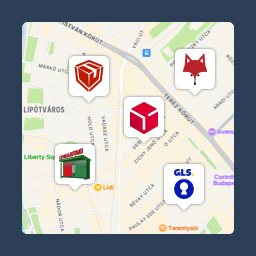
Csomagpontok és Címkék WooCommerce-hez

Advanced Product Labels for WooCommerce

Virtuaria Correios – Frete, Etiqueta, Rastreio e Declaração