
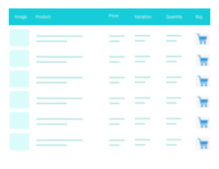
Product Table for WooCommerce – Add Multiple Products to Cart
A truly lightweight, EASY to use and super FAST WooCommerce product table solution to add multiple products to cart at once.
4.8
(24 ratings)Will this break my store?
What the WordPress.org registry says about keeping Product Table for WooCommerce – Add Multiple Products to Cart running.
Tested to 7.1.2
Tested against the WordPress branch in use today.26 days ago
At least 0.8 releases a year since launch. WordPress.org only lists versions still available for download, so the real number may be higher.7.0
Your host must be running at least this version.4.9
woocommerce
These must be installed and active first.3
Maintenance & trust
Scored on how Product Table for WooCommerce – Add Multiple Products to Cart is looked after — not on how many stores run it.
97
out of 100Maintenance
35 / 35WordPress compatibility
20 / 20Support responsiveness
Not enough dataMerchant satisfaction
13 / 15Listing transparency
10 / 10Ratings
4.8
24 ratingsQuickest way to create custom product sections on any WooCommerce store. Create new table shortcode and paste it on the page.
Lightweight and optimized to handle heavy WooCommerce stores even if you have 200,000 products across 2,000 product categories. You get great mobile view, wide range of themes support and can upgrade with our Premium extension with amazing features.
A truly simple yet powerful plugin without any unnecessary features, no huss fuss or no low page speed score!
FEATURES
- Supports simple and variable products
- Supports all currency formats
- Option for different columns on different tables
- Auto select product checkbox when product quantity increases
- Pre-selected products on the table
- AJAX and form submit add to cart methods
- In-table variation attributes
- Out-of-stock variation – shows out of stock text and auto disables input fields
- Correct variation attribute order
- Auto select default attribute value
- Available variations – auto removes unavailable options
- Table filter by date, title and price
- Add to cart confirmation message when quantity or checkbox fields is missing
- Auto outline incorrect input fields on add to cart error
- Works on multisite
- On-scroll sticky table header on the top and total price on the bottom
- Column name change options page
- Default table quantity option
- Add to cart redirect: on add to cart form submit, redirect to this page
- Table options – custom products, categories, types and columns
- Third-party price customization
- Custom themes support like Avada, Astra, Bricks, Divi and plugins like YITH WooCommerce Dynamic Pricing & Discounts
- Multilingual plugins support like WPML, PolyLang
- Translation ready: you can translate the plugin using Loco Translate, TranslatePress plugins
- Translated in – French, Italian, Spanish, Portuguese, German, Norwegian, Dutch, Polish, Russian, Chinese
- Truly lightweight and extremely fast, almost no impact on page speed
- See all features
SEE THE DEMO
PRO FEATURES
- New! Variations as Product Rows feature added.
- Grouped and Subscription product types support
- Category, Tag, SKU, Stock and Rating columns
- AJAX search box with SKU search
- Extra table filters: category and tag
- Extend product image with image gallery
- Add to cart button for each product
- Section by category – create dynamic sections by each product categories
- Quick checkout – displays a cart section right next to the table
- Import, export settings and tables
- Product quantity selector buttons to the table
- Redirect to custom page after add to cart
- Multilingual plugin support with 10 new languages
- Support for WooCommerce All Products for Subscriptions
- Rocket speed 24/7 support
- See all PRO features
3rd Party Plugin Support
HOW TO
You can create the product table shortcode from Multiple Products > Add Product Table. Example: [woo-multi-cart table="1"]
Yes.
You can add new product table using the shortcode generator. Simply go to Multiple Products > Add Product Table
In the left menu bar of the dashboard Multiple Products > Settings
The WooCommerce product table template can be overridden by copying it to yourtheme/templates/listing-list.php.
Yes, it will work fine on any standard theme or page builder like Gutenberg, Elementor, DIVI, WPBakery Composer etc.
Most of our PRO customer’s problem solved within 24 hours of their first contact. Please contact here if you are a PRO customer.
Yes, just send your request here.
Categories
Plugin details
Tags on WordPress.org
Alternatives
Other plugins in the same categories.
Ivory Search – WordPress Search Plugin

Filter Everything — WordPress & WooCommerce Filters

Relevanssi – A Better Search

WP Fastest Site Search

Product Filter for WooCommerce by WBW
