
Pay4All Shop
Sell products, services, events, courses and meals with a complete order form, Stripe, myPOS & TWINT payments, delivery, pickup and more.
Will this break my store?
What the WordPress.org registry says about keeping Pay4All Shop running.
Tested to 7.1.1
Tested against the WordPress branch in use today.7 days ago
7.4
Your host must be running at least this version.5.9
1
A single maintainer. Worth knowing if the plugin is load-bearing for your store.Maintenance & trust
Scored on how Pay4All Shop is looked after — not on how many stores run it.
Maintenance
35 / 35WordPress compatibility
20 / 20Support responsiveness
Not enough dataMerchant satisfaction
Not enough dataListing transparency
7 / 10Ratings
No one has rated this plugin on WordPress.org yet. That is a statement about the ratings page, not about the plugin — plenty of well-kept plugins never collect them.
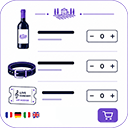
Pay4All Shop is a simple and lightweight order form plugin designed for small shops, wineries, caterers, takeaway restaurants, and associations.
It was intentionally created as a simpler alternative to WooCommerce: create an order form, add your products and delivery methods, assign payment methods to each delivery option, and embed the form anywhere on your website using a shortcode.
Available in French, German, Italian, and English.
Main Features
- Create as many order forms as you need and add your products to each form.
- Default fields such as first name, last name, email address, phone number, and address are automatically translated into every enabled language.
- Add, edit, remove, and organize form fields according to your needs. Forms are fully customizable.
- Products can include an image, regular price, sale price, minimum and maximum quantities, and a short description.
- Product image size can be configured separately for each form.
-
Multiple product types are supported:
- Physical products, enabled by default.
- Virtual products, with a downloadable file delivered after purchase.
- Event tickets with QR code validation, available with Pay4All Pro.
- Out-of-stock management: products remain visible, but their quantity selector is disabled.
- Optional stock management for each product, with email notifications when stock becomes low.
-
Available delivery methods:
- Local pickup.
- Flat-rate delivery.
- Free delivery.
- Free delivery above a configurable order amount.
- Rate table (tiered pricing based on cart weight, order amount or number of items).
- No delivery required.
- Payment methods can be assigned individually to each delivery method.
- Secure delivery of downloadable virtual products.
-
Optional “Remember my information” feature:
- Customer details are stored only in the customer’s browser.
- No saved information is sent to the server.
- Customers can prefill the form with one click during a future visit.
- Disabling the option immediately removes the saved information.
-
Complete order management:
- Custom order statuses.
- Payment statuses.
- Internal notes.
- Customizable emails sent to customers and merchants.
- The email subject, title, introduction, and closing text can be customized separately in each supported language.
- Export orders in XLS or CSV format, with filters for date, form, and order status.
- Compatible with the WordPress Privacy API for GDPR data export and erasure requests.
- Anti-spam protection using a honeypot field, WordPress nonces, and server-side validation.
Included Payment Methods
- Payment on pickup.
- Cash on delivery.
- Bank transfer.
- Install Pay4All for TWINT to accept TWINT payments.
- Install Pay4All for Stripe to accept credit and debit card payments.
Age Verification
Install Pay4All Age Verification to add age verification to your products.
Features include:
- Age verification can be enabled individually for each product with a simple checkbox.
- Identity document or selfie verification.
- QR code capture from another device.
Pay4All Pro — Optional
Events and Ticketing
Sell tickets for events, parties, shows, concerts, and other activities.
A unique QR code is generated for every ticket purchased and sent to the customer by email. Tickets can be scanned and validated at the entrance using any smartphone, with no application to install.
The QR ticketing system also includes:
- A public ticket validation page.
- A self-service check-in screen.
- Ticket and participant search.
- Participant export.
QR ticketing is included with Pay4All Pro, with a free 30-day trial.
Quantity Rules
Define quantity rules by product category or brand:
- Minimum quantity.
- Maximum quantity.
- Quantity multiples.
- Minimum quantity combined with a required multiple.
Rules are validated both in the customer’s browser and on the server to prevent invalid orders.
Themes and Customization
Quickly customize the appearance of your forms using the Light, Dark, Red, Orange, Yellow, Green, Blue, Purple, and Brown predefined themes, or create a fully customized design using the advanced customization options.
A live preview displays your changes immediately.
Abandoned Carts
Automatically capture incomplete orders and send a follow-up email after a configurable delay.
Each recovery email contains a unique, single-use link that allows the customer to restore the abandoned cart and continue the order where they left off.
Usage Examples
- Wineries selling products at their cellar door or during events.
- Cheese shops offering local pickup.
- Caterers accepting weekly orders.
- Local shops offering in-store pickup only.
- Associations accepting online registrations and payments.
- Businesses selling digital products such as PDF files, MP3 files, online courses, and documents.
No. Pay4All Shop is standalone. It does not depend on WooCommerce in any way.
The free version supports manual payments only (pickup, on delivery, bank transfer, TWINT instructions). Automated TWINT payments are available via Pay4All Pro.
Yes. Customer data is included in WordPress’s Tools › Export / Erase Personal Data workflow.
No, unless you explicitly enable Réglages › Données › Supprimer les données lors de la désinstallation.
No HTTP cookies are set by the plugin. When the shopper ticks the « Se souvenir de mes informations pour ma prochaine commande » checkbox on the customer step, their contact fields are stored in the browser’s own localStorage (client-side only, never uploaded to the server, one-year retention, scoped per form). Unticking the checkbox and clicking Suivant — or the browser’s Clear site data action — wipes the entry immediately. Nothing is stored when the checkbox stays off.
When you create a product of type Virtual, you upload one file per product. The file is stored in wp-content/uploads/p4all-virtual/, protected by an automatically generated .htaccess (deny from all). After purchase, the customer’s e-mail contains a one-time download link served by the plugin endpoint (?p4all_dl={token}). The link is valid for 60 days.
Tick the Rupture de stock checkbox on a product. The product stays visible in the form so the customer still sees what you usually offer, but the quantity field is greyed and disabled. A red badge labels the product as out of stock. Server-side validation rejects any tampered submission that tries to order an out-of-stock item.
The Help page (Pay4All Shop › Aide) contains a contact form that lets you send a message to Pay4All support. Submitting the form transmits the following to https://pay4all.net/api/v1/support-requests:
- Your name, e-mail address, subject and message (exactly what you type in the form).
- The site domain (host of
home_url()), so support can identify which installation is asking. - The plugin slug (
pay4all-form) and its current version. - The active admin locale (fr, de, it or en) so support can reply in your language.
- Up to 3 optional attachments (jpg, png, gif, webp, pdf or zip; max 5 MB each) if you add them yourself.
Nothing else is sent. No customer data, no order data, no site secrets, no credentials, no analytics. The form is only used when you actively submit it – the plugin never contacts Pay4All support in the background.
Tick Manage stock on a product and enter the quantity available. From that point on:
- Each order decrements the stock by the quantity ordered (one decrement per ticket / per unit). The decrement happens as soon as the customer validates the order, regardless of the payment status.
- The order form prevents the customer from ordering more than what is left — the quantity input’s max attribute is capped at the stock available, and a server-side check rejects any tampered submission.
- When the stock reaches 0, the product is automatically flagged out of stock: it stays visible but cannot be ordered.
- When an order is deleted from the admin (definitive delete, not just trashed), the stock is restored for every product still in the order. Status changes (paid, cancelled…) do NOT restore stock; only deletion does.
- If you set a Notify me when stock reaches threshold in Settings › General (under the shop address), an e-mail alert is sent to the notification address as soon as a tracked product crosses the threshold downwards after a sale.
- A Stock column in the products admin list shows the current quantity (or
—when stock management is off), highlighted in orange below the threshold and red when out of stock.
Categories
Plugin details
Tags on WordPress.org
Alternatives
Other plugins in the same categories.
Payment Plugins for PayPal WooCommerce

Payment Plugins for Stripe WooCommerce

Subscriptions for WooCommerce with Stripe Recurring Payments

Payment Gateway for PayPal on WooCommerce

Mollie Payments for WooCommerce
