
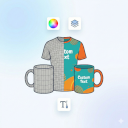
Precise Expressions Product Customizer
Easily sell custom products in WooCommerce. Shoppers personalize items by uploading images and text in a live preview modal
Will this break my store?
What the WordPress.org registry says about keeping Precise Expressions Product Customizer running.
Tested to 7.1
Tested against the WordPress branch in use today.3 days ago
At least 8.8 releases a year since launch. WordPress.org only lists versions still available for download, so the real number may be higher.7.4
Your host must be running at least this version.6.0
1
A single maintainer. Worth knowing if the plugin is load-bearing for your store.Maintenance & trust
Scored on how Precise Expressions Product Customizer is looked after — not on how many stores run it.
Maintenance
35 / 35WordPress compatibility
20 / 20Support responsiveness
Not enough dataMerchant satisfaction
Not enough dataListing transparency
7 / 10Ratings
No one has rated this plugin on WordPress.org yet. That is a statement about the ratings page, not about the plugin — plenty of well-kept plugins never collect them.
Precise Expressions Product Customizer adds an on-page customizer to WooCommerce products.
Customers click “Personalize your product” to open a modal where they can upload images, add text, and adjust their design (move/rotate/resize) within your permitted area.
The final preview is saved with the cart item and carried into the order for easy fulfilment.
Key Features:
* Modal customizer: Upload PNG/JPG and add text; move/rotate/resize with a live preview.
* Permitted area: Define the customization area per product with a draggable/resizable bounding box.
* Variable product aware: The customizer button only enables when a valid, in-stock option is selected.
* Cart + checkout preview: Customers see their customized preview through checkout.
* Order fulfilment friendly: Admin order view includes downloadable design links and a list of fonts used.
* Media Library friendly: Artwork is stored under uploads/precise-expressions-product-customizer (outside the Media Library) to reduce bloat.
Optional Google Fonts: Disabled by default, toggleable in settings.
🔥 Upgrade to Precise Expressions Product Customizer Pro
Need more control for personalised, engraved, printed, marked or made-to-order products?
Precise Expressions Product Customizer Pro adds advanced custom-product and production-review tools for WooCommerce stores selling personalised, engraved, printed, marked or made-to-order products.
Pro features include:
- Multi-area customisation for front, back, top, bottom, left and right.
- Default and area-specific production dimensions.
- Product-specific font controls and image upload policies.
- Laser workflow modes for engraving, raster, score/light mark, cut review, acrylic cut review, preview-only and quote-required products.
- Area-specific Production SVG downloads in millimetres.
- Preview PNG downloads, original upload retention and object measurements.
- Production Setup Summary for admin review.
- Quote, proof, artwork approval and revision workflow.
- Optional Australia Post and USPS shipping calculators.
Customer previews capture design intent only. Store admins should still review artwork, fonts, sizing, material suitability and production setup before fulfilment.
Upgrade to Precise Expressions Product Customizer Pro
How it works:
1. Enable the customizer on any product via the “Product Customizer” tab in the product data panel.
2. (Optional) Upload a transparent mockup image (e.g., a phone case or t-shirt frame) to overlay on top of the customer’s design.
3. The customer designs their item, clicks “Done”, and adds to cart.
4. You receive the combined preview image and individual assets in the order details.
External Services
This plugin includes an optional feature to load fonts from Google Fonts to provide typography options in the customizer.
* Service: Google Fonts (https://fonts.google.com)
* Data Shared: When enabled, visitors’ browsers request font files from Google’s servers, which typically includes IP address and user agent.
* Control: This feature is disabled by default. It can be enabled in WooCommerce > Product Customizer > Settings.
Bundled Resources
This plugin bundles the following third-party library:
- Fabric.js
- Source: https://fabricjs.com/
- License: MIT (see
assets/vendor/fabric/LICENSE.txtincluded in the plugin)
Yes! We designed this product customizer to seamlessly integrate with both classic WooCommerce themes and modern block-based setups.
You can easily define the exact printable area where shoppers can customize their items by dragging and resizing the visual bounding box directly inside the product data panel.
The free version supports a single customisation view. The Pro version supports multiple product areas, such as front, back, top, bottom, left and right, with optional area-specific production dimensions.
Categories
Plugin details
Tags on WordPress.org
Alternatives
Other plugins in the same categories.
Advanced Product Fields (Product Addons) for WooCommerce

Smart Coupons For WooCommerce Coupons

YayPricing – WooCommerce Dynamic Pricing & Discounts

Product Addons for Woocommerce – Product Options with Custom Fields

Extra Product Options For WooCommerce | Custom Product Addons and Fields
