
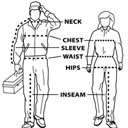
Product Size Chart for Woocommerce
This plugin allow you to use size charts to products on woocommerce.
4.2
(27 ratings)Will this break my store?
What the WordPress.org registry says about keeping Product Size Chart for Woocommerce running.
Tested to 6.4.8 — 7 branches behind 7.1
Several branches behind. Worth checking on a staging site before updating WordPress.2 years ago
At least 1.1 releases a year since launch. WordPress.org only lists versions still available for download, so the real number may be higher.false
Your host must be running at least this version.4.0
2
Maintenance & trust
Scored on how Product Size Chart for Woocommerce is looked after — not on how many stores run it.
25
out of 100Maintenance
6 / 35WordPress compatibility
0 / 20Support responsiveness
Not enough dataMerchant satisfaction
10 / 15Listing transparency
4 / 10Ratings
4.2
27 ratingsReduce Returns with Sizegram Size Charts For WooCommerce. If you are hosting Woocommerce store and wanna give your customers some more information about your product then Product Size Chart for Woocommerce is a great piece of plugin to give you peace of mind. This plugin allow you to create unlimited charts and display directly to products or categories.
Product Size Chart for Woocommerce allow you to show the corresponding values of the product dimensions, height, weight, meters etc. The size guide table allows you to add multiple rows or column and insert your size guide info without requiring any html knowledge.
Enable additional chart so you can display more then one table to your product page.
Select the look of your chart by choosing table styles, colors, buttons style, text etc.
With this plugin you can assign single chart to multiple products or directly assign charts to product categories.
Decide whether you wanna show the chart as modal pop up or in a tab.
Original plugin was developed by: Nabaraj Chapagain( https://profiles.wordpress.org/nabaraj-chapagain/ ). On 06-09-2020 I’ve taken over and I will keep maintaning this plugin. Since 30-01-2024 the plugin has been transferred to Knaldi2020, and will be also know as sizegram as from 2024 . We will keep maintaining and improving this plugin.
Plugin information – Click here for sizegram.com
Features
- Create unlimited Charts.
- Assign chart to single or multiple products.
- Assign chart to single or multiple categories.
- Easy to use custom fields for color, buttons, overlay etc.
- Add/Edit multiple row on chart table as per your requirements.
- Multiple Table Styles.
- Default setting available.
- Customizable text, color, button, overlay.
- Additional Size charts can be added to products.
Installation Guide
- Upload the plugin to the ‘/wp-content/plugins/’ directory
- Activate the plugin through the ‘Plugins’ menu in WordPress
- Add chart from “Charts” menu at the left hand side menu bar
- Manage default setting through Size Chart > settings
Categories
Plugin details
Tags on WordPress.org
Alternatives
Other plugins in the same categories.
Advanced Woo Labels – Product Labels & Badges for WooCommerce

Custom Product Tabs for WooCommerce & WordPress Tabs Builder – Smart Tabs

Easy Auto SKU Generator for WooCommerce

PW WooCommerce Bulk Edit

PVT – Product Variation Table for WooCommerce
