
QuantityPro for WooCommerce
Add customizable plus and minus buttons to WooCommerce product quantity selectors for enhanced user experience.
5.0
(1 ratings)Will this break my store?
What the WordPress.org registry says about keeping QuantityPro for WooCommerce running.
Tested to 6.8.8 — 3 branches behind 7.1
A branch or two behind — normal for a plugin between releases.10 months ago
At least 2.5 releases a year since launch. WordPress.org only lists versions still available for download, so the real number may be higher.7.4
Your host must be running at least this version.5.8
woocommerce
These must be installed and active first.1
A single maintainer. Worth knowing if the plugin is load-bearing for your store.Maintenance & trust
Scored on how QuantityPro for WooCommerce is looked after — not on how many stores run it.
Maintenance
26 / 35WordPress compatibility
14 / 20Support responsiveness
Not enough dataMerchant satisfaction
10 / 15Listing transparency
6 / 10Ratings
5.0
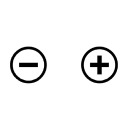
1 ratingQuantityPro for WooCommerce is a lightweight WooCommerce plugin that enhances the product quantity selection experience by adding intuitive plus (+) and minus (-) buttons to quantity input fields on product pages and shopping carts.
This plugin works seamlessly with WooCommerce and provides a better user interface for customers to adjust product quantities without manually typing numbers. The buttons respect minimum and maximum quantity constraints set for each product.
Key Features
- ✓ Adds plus and minus buttons to product quantity selectors
- ✓ Fully responsive design optimized for mobile devices
- ✓ Clean, modern aesthetic that integrates with any storefront design
- ✓ Zero configuration – just install and activate
- ✓ Lightweight and performance-optimized
- ✓ No modifications to WooCommerce templates
- ✓ Respects product minimum and maximum quantity settings
- ✓ Compatible with WooCommerce HPOS (High Performance Order Storage)
- ✓ Works on both product pages and shopping cart
- ✓ Compatible with WordPress 5.8+ and PHP 7.4+
How It Works
Once activated, the plugin automatically:
1. Adds a minus (-) button before the quantity input field
2. Adds a plus (+) button after the quantity input field
3. Allows customers to increment/decrement quantity with simple clicks
4. Respects product-level quantity limits (min/max)
No additional setup or configuration required!
Additional Notes
Requirements
- WordPress 4.6 or higher
- PHP 7.2 or higher
- WooCommerce 3.0 or higher
Support
For support, feature requests, or bug reports, please visit the plugin’s support forum or contact the author.
License
This plugin is licensed under the GPLv3 license. See the LICENSE file for details.
Credits
Developed by Bonny Elangbam
Support
For questions, feature requests, or bug reports, please visit:
https://wordpress.org/support/plugin/quantitypro-for-woocommerce/
No! Once activated, the plugin works automatically. No configuration needed.
Yes, this plugin is designed to work with any WordPress theme that uses WooCommerce.
No, the plugin uses WordPress hooks and filters. It does not modify any core WooCommerce files or templates.
Yes, customers can still click on the quantity input field and type a number directly.
The plugin is tested and compatible with WooCommerce 3.0 and above, up to WooCommerce 8.0.
Yes, the plugin includes responsive CSS that optimizes button sizes and spacing for mobile devices.
Yes, the plugin fully respects minimum and maximum quantity settings configured for each product in WooCommerce.
No, the plugin is lightweight and optimized for performance. It adds minimal CSS and uses jQuery (which WordPress includes by default).
Categories
Plugin details
Tags on WordPress.org
Alternatives
Other plugins in the same categories.
WooCommerce


CoCart – Headless REST API for WooCommerce

XT Ajax Add To Cart for WooCommerce

WPC Fly Cart for WooCommerce
