
This is an info Alert.
xpay
  • Product
    • Become Agent-Ready
      • Merchants
        Agentic Commerce — list your store across ChatGPT, Gemini, Claude & Perplexity
      • Publishers
        Monetize your content when AI agents read, cite, or train on it
      • SaaS Companies
        Treat AI agents as first-class customers with agent-priced checkout
    • Monetize
      • Monetize MCP Server
        Charge per call on any MCP server in 2 minutes
      • Monetize AI Agents
        Turn n8n, Zapier, Activepieces workflows into revenue
  • Resources
    • xpay Ecosystem
      • xpay✦ Tools
        1,000+ pay-per-use tools for your AI agents
      • Agent-Ready SaaS Index
        25,481 SaaS scored on agent-buyability
      • SaaS Pricing Database
        Pricing pages indexed across 1,000+ categories
      • Shopify Apps Directory
        Every Shopify app, with its full review history
      • WooCommerce Plugins Directory
        Every WooCommerce plugin, scored on how well it is maintained
      • GitHub
        Open source repositories
    • Agent Building
      • Agent Frameworks
        AI frameworks for building multi-agent systems
      • x402 Integration
        AI frameworks with x402 payment integration
      • Networks
        Blockchain networks supporting x402
    • Company
      • About xpay✦
        Our mission, products, and protocols
      • Blog
        Latest insights and updates
      • Docs
        Complete xpay documentation
  • Pricing
  • Blog
  • Docs
Get Started
  1. xpay✦ Commerce

  2. Directory

  3. WooCommerce plugins

  4. Shipit24 for WooCommerce

Shipit24 for WooCommerce

Integrate ShipIt24 shipping services with your WooCommerce store — parcel lockers and courier delivery at checkout.

10+ active installsFree on WordPress.org
View on WordPress.orgSupport forum
Will this break my store?

What the WordPress.org registry says about keeping Shipit24 for WooCommerce running.

WordPress compatibility
Tested to 7.1.1
Tested against the WordPress branch in use today.
Last updated
today
Requires PHP
7.4
Your host must be running at least this version.
Requires WordPress
6.0
Contributors
1
A single maintainer. Worth knowing if the plugin is load-bearing for your store.

10+ active installsWordPress.org reports installs in bands, not exact counts.
Maintenance & trust

Scored on how Shipit24 for WooCommerce is looked after — not on how many stores run it.

Well maintained
Not enough public feedback to put a confident number on this one. Little public feedback — score rests mostly on release activity. What we can see is below.

Maintenance
35 / 35
Updated 1 days ago.
WordPress compatibility
20 / 20
Tested to WP 7.1.1 (current).
Support responsiveness
Not enough data
Only 0 support thread(s) — not enough to judge.
Merchant satisfaction
Not enough data
No ratings yet.
Listing transparency
3 / 10
Provides: description
2 of 5 measures had too little evidence to score. They are left out of the total rather than counted as zero — otherwise a plugin would be marked down for being small rather than for being poorly kept.Measured 2026-09-19 from the WordPress.org plugin registry.
Ratings

No one has rated this plugin on WordPress.org yet. That is a statement about the ratings page, not about the plugin — plenty of well-kept plugins never collect them.

Shipit24 for WooCommerce connects your WooCommerce store to the ShipIt24 shipping platform, enabling customers to select from parcel lockers and courier delivery options during checkout.

Features

  • Display parcel locker and courier shipping options at WooCommerce checkout
  • Two shipping method modes per zone:
    • Shipit24 (Universal) — a single shipping method that lists every available carrier’s lockers in one dropdown with per-locker pricing
    • Per-carrier methods (Omniva, DPD, Itella, Smartpost, …) — one shipping method row per carrier with a fixed price per destination country; the dropdown shows only that carrier’s lockers
  • Interactive locker search and selection widget with live API lookup, filtered to the carrier the customer picked
  • Automatic shipping order creation when a WooCommerce order is marked as “Processing”
  • Admin delivery list with real-time status tracking and per-carrier filtering
  • PDF shipping label generation from the WooCommerce order screen and admin delivery list
  • Automatic delivery status sync via scheduled background job (every 5 minutes); fixed prices refreshed twice daily
  • Support for both the classic WooCommerce checkout and the block-based checkout
  • Translations: English (default), Estonian (et), Latvian (lv), Lithuanian (lt)

How It Works

  1. Configure the plugin with your ShipIt24 API key in WooCommerce → Settings → Shipping → ShipIt24. Saving the settings fetches your account’s active carriers from the ShipIt24 API and registers one per-carrier shipping method per carrier.
  2. In each shipping zone, add either Shipit24 (Universal) (one method that exposes all carriers) and/or one or more per-carrier methods (Shipit24 – Omniva, Shipit24 – DPD, …). Mix and match per zone.
  3. Customers see the methods you added. Per-carrier rows show a fixed price; the universal row shows the carrier’s price after the customer picks a locker.
  4. When an order reaches “Processing” status, a shipping order is automatically created via the ShipIt24 API.
  5. Track all ShipIt24 deliveries under ShipIt24 Deliveries in the WordPress admin menu.
  6. Generate PDF labels and view delivery details from the admin delivery list or the individual WooCommerce order screen.

Third-Party Service: ShipIt24 API

This plugin connects to the ShipIt24 API (api.shipit24.eu). This external service is used to:

  • Retrieve available shipping rates and locker locations (during checkout)
  • Create shipping orders (when a WooCommerce order is placed)
  • Fetch delivery status updates (hourly background sync)

Data sent to the ShipIt24 API includes: store address and country, customer delivery address, parcel dimensions and weight, and order details (order ID, recipient name, phone number, and email address).

An active ShipIt24 business account and API key are required. Use of the ShipIt24 service is subject to:

  • ShipIt24 Terms of Service
  • ShipIt24 Privacy Policy

Do I need a ShipIt24 account?

Yes. You need an active ShipIt24 business account and an API key. Contact ShipIt24 to get started.

Which countries are supported?

ShipIt24 currently supports Estonia, Latvia, and Lithuania. Available shipping options depend on your ShipIt24 account configuration and the destination country.

Does the plugin support the WooCommerce block checkout?

Yes. The plugin supports both the classic WooCommerce checkout and the block-based checkout introduced in WooCommerce 8.x.

What’s the difference between “Shipit24 (Universal)” and the per-carrier methods?

The universal method shows one option at checkout; its locker search lists every carrier’s lockers and the price depends on which locker (and which carrier) the customer picks. Per-carrier methods (Omniva, DPD, Itella, …) show as separate shipping options, each with a single fixed price per destination country, and each method’s locker search is scoped to that one carrier. You can offer either or both in the same shipping zone.

Why don’t I see all carriers in the “Add shipping method” dropdown?

The per-carrier method list is fetched from the ShipIt24 API based on your account’s active carriers and the Parcel Pickup Country on the WooCommerce → Settings → Shipping → ShipIt24 settings page. Save that page once with a valid API key and pickup country, then the per-carrier methods will appear in the zone-level Add shipping method dropdown.

Why is a phone number required at checkout?

ShipIt24 requires the recipient’s phone number to send parcel notifications and locker access codes.

Where can I find the shipping label?

Once a shipping order is created, a Generate PDF Label button appears on the WooCommerce order screen and on the ShipIt24 delivery list page (ShipIt24 Deliveries in the admin menu).

What happens if the shipping order creation fails?

The WooCommerce order is moved to “On Hold” status and a note is added explaining the failure. You can retry order creation manually from the ShipIt24 delivery list or the WooCommerce order screen.

Categories
Carriers & fulfilmentShipping rates & rules
Plugin details
Version1.4.0
Last updated2026-09-18 8:57am GMT
Added2026-05-19
Requires WordPress6.0
Tested up to7.1.1
Requires PHP7.4

Tags on WordPress.org
courier
locker
parcel
shipping
woocommerce
Alternatives
Other plugins in the same categories.

Advanced Shipment Tracking for WooCommerce

70K+ installs
4.5(353)
Advanced Woo Labels – Product Labels & Badges for WooCommerce
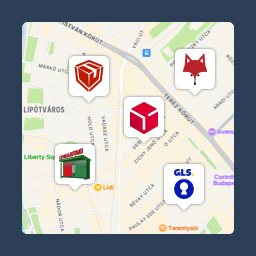
10K+ installs
5.0(64)
Csomagpontok és Címkék WooCommerce-hez

7K+ installs
5.0(27)
Advanced Product Labels for WooCommerce

20K+ installs
4.8(252)
Virtuaria Correios – Frete, Etiqueta, Rastreio e Declaração

500+ installs
5.0(19)
Shipping Live Rates and Access Points for UPS for WooCommerce
7K+ installs
4.7(76)
xpay

The agent-readiness stack for the AI shopping era — helping merchants, publishers and SaaS companies get discovered, cited and transacted with by ChatGPT, Perplexity, Claude, Gemini and the custom shopping agents underneath them.

CompanyAgentically Inc. (d/b/a xpay✦)1875 Mission St, Ste 103San Francisco, CA 94103, United Stateslegal@xpay.sh · privacy@xpay.sh
or ask your AI app
Company
About xpayAgency PartnersGitHubDiscordllms.txt
DevelopersDocumentationAPI ReferenceSDKs & LibrariesQuickstart GuideOpenAPI Spec
Stay Updated
Occasional product updates and agent-readiness playbooks from xpay (Agentically Inc.) — typically a couple of emails a month. Double opt-in: we email you a link to confirm before sending anything, and every email has one-click unsubscribe.
Social
  • For Publishers
    • News
    • Finance
    • Dev / Tech
    • Travel
    • View all verticals
  • Agent-Ready Index
    • SaaS Pricing Database
    • Agent-Ready SaaS Index
    • Verified band
    • AI & ML
    • Sales & CRM
  • Products
    • Pricing Widget
    • Monetize MCP Server
    • Paywall
    • Smart Proxy
    • Monetize AI Agents
    • xpay x402 Facilitator
  • Agentic Economy
    • Timeline
    • Resources
    • Manifesto
    • Stack
  • Agentic Commerce
    • Get listed
    • ChatGPT Ads
    • How ChatGPT Ads work
    • ChatGPT Ads · Apparel
    • ChatGPT Ads · Health & Beauty
    • xpay Listings · Amazon + Google
    • Pricing
    • Free audit
    • Shopify
    • WooCommerce
    • Apparel & Accessories
    • Health & Beauty
    • Overview
  • Commerce Index
    • Shopify apps directory
    • Agentic Commerce Ready Index
    • Methodology
    • Pet brands · WooCommerce
    • Pet brands · Shopify
  • Marketplace
    • 🛍️ xpay.deals — agentic storefront for deals
  • Protocols
    • Overview
    • x402
    • MPP
    • UCP
    • ACP
    • AP2
    • TAP
    • A2A
  • Agent Frameworks
    • Overview
    • LangChain
    • CrewAI
    • Claude MCP
    • AutoGPT
    • LangChain vs Mastra
    • LangGraph vs Pydantic AI
  • Company
    • About xpay
    • Blog
    • Docs
    • GitHub
  • Free prompts
    • Ecommerce prompts
    • Email marketing prompts
    • Product description prompts
    • Facebook ad prompts
    • Skincare prompts
    • Supplement prompts
    • Wine prompts
    • Electronics prompts

© 2025 Agentically Inc. All rights reserved.
Privacy PolicyTerms of UseAcceptable Use Policy