

Shiptastic for WooCommerce
Shiptastic for WooCommerce is your all-in-one shipping and fulfillment solution for WooCommerce.
5.0
(4 ratings)Will this break my store?
What the WordPress.org registry says about keeping Shiptastic for WooCommerce running.
Tested to 7.1.2
Tested against the WordPress branch in use today.1 month ago
At least 24.8 releases a year since launch. WordPress.org only lists versions still available for download, so the real number may be higher.5.6
Your host must be running at least this version.5.4
woocommerce
These must be installed and active first.2
Maintenance & trust
Scored on how Shiptastic for WooCommerce is looked after — not on how many stores run it.
96
out of 100Maintenance
35 / 35WordPress compatibility
20 / 20Support responsiveness
Not enough dataMerchant satisfaction
11 / 15Listing transparency
10 / 10Ratings
5.0
4 ratingsShiptastic for WooCommerce is your all-in-one shipping and fulfillment solution for WooCommerce covering (partial) shipments, return management & much more.
- Shipments – Create (partial) shipments for orders – either automatically or by hand.
- Returns – Allow your customers to submit return requests for orders. Review and process requests from within your admin panel.
- Packaging – Store your packaging options to allow Shiptastic to pack your customer’s cart/order based on your available options.
- Shipping Rules – Create complex shipping scenarios and calculate shipping costs based on your packaging options.
- Shipping Service Providers – Either use one of our available provider integrations or manually add you shipping service provider.
Order Fulfillment
With Shiptastic for WooCommerce you may fulfill your orders right from your WooCommerce backend instead of relying on expensive third-party services.
Create shipments, either automatically or manually, which sync all necessary data (e.g. packaging, weight, dimensions) based on your products and
choose different shipping service providers to create labels. Send notifications to your customers with tracking links and descriptions as soon as a shipment is marked as shipped.
Handle returns with ease
Shiptastic for WooCommerce makes accepting returns easier for you and your customers. Allow your customers (guest and registered customers) to create return requests for applicable orders which you may either automatically accept or manually approve.
Notify your customers about return shipments and send return instructions, including return labels, to your customers. Optionally charge a fee for a return which will be automatically deducted from the refund created to the return shipment.
UPS® integration
Shiptastic comes with a ready-made integration for UPS. Navigate to WooCommerce > Settings > Shiptastic > Shipping Service Providers and install UPS to create labels for Shipments & Returns right from your dashboard and provide your customers with an easy way to select UPS Access Point™ delivery from within your checkout.
DHL & Deutsche Post integration
Business customers from Germany benefit from our integration for DHL & Deutsche Post. Navigate to WooCommerce > Settings > Shiptastic > Shipping Service Providers and install DHL to create labels for Shipments & Returns right from your dashboard and provide your customers with an easy way to select Packstation/Postfiliale/Paketshop delivery from within your checkout.
Find the docs on our website.
Make sure that you’ve created a page with the [shiptastic_return_request_form] shortcode. This shortcode will provide
customers (guests, registered customers) with a form to submit a return requests to an order applicable. Also make sure that the
shipping service provider linked to the order/shipment has the return options enabled.
Please report security bugs found in the source code of the plugin through the Patchstack Vulnerability Disclosure Program. The Patchstack team will assist you with verification, CVE assignment, and notify the developers of this plugin.
Plugin details
Tags on WordPress.org
Alternatives
Other plugins in the same categories.
Advanced Shipment Tracking for WooCommerce

WebToffee WooCommerce PDF Invoices, Packing Slips, Delivery Notes & Shipping Labels

Advanced Woo Labels – Product Labels & Badges for WooCommerce
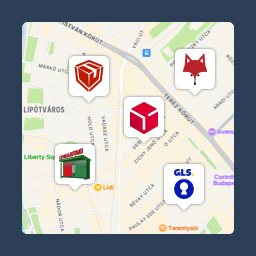
Csomagpontok és Címkék WooCommerce-hez

Advanced Product Labels for WooCommerce
