
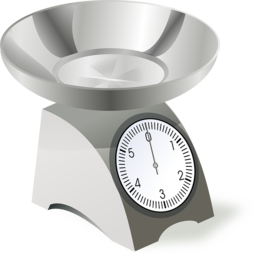
Unit Price for WooCommerce
WooCommerce plugin for configuring products which are sold by units but priced by weight.
4.8
(10 ratings)Will this break my store?
What the WordPress.org registry says about keeping Unit Price for WooCommerce running.
Tested to 7.1.4
Tested against the WordPress branch in use today.2 months ago
At least 1.3 releases a year since launch. WordPress.org only lists versions still available for download, so the real number may be higher.7.0
Your host must be running at least this version.5.2
1
A single maintainer. Worth knowing if the plugin is load-bearing for your store.Maintenance & trust
Scored on how Unit Price for WooCommerce is looked after — not on how many stores run it.
96
out of 100Maintenance
35 / 35WordPress compatibility
20 / 20Support responsiveness
Not enough dataMerchant satisfaction
12 / 15Listing transparency
10 / 10Ratings
4.8
10 ratingsWooCommerce plugin for configuring products which are sold by units but priced by weight.
For example: fish, watermelon, cabbage.
How To define products which are sold by units but priced by weight
- In the plugin settings enable the ‘Quantity Units’ option
- Go to the edit product screen
- Set the price of 1 unit of the product in the price field (General tab)
- Set the weight of 1 unit of the product in the weight field (Shipping tab)
- Select ‘Weight’ in the ‘Quantity Units’ option (Unit Price tab)
How It Works
- The customer choose how many items he needs from the product
- On order creation the item quantity is recalculated based on its weight
- The shop owner will be able to update the quantity of it from the edit order screen after he weighs the item
For example:
1. The customer purchased 1 Salmon fish
2. The configured weight of Salmon fish is 3kg, when order is created the quantity of the fish will be modified automatically from 1 to 3
3. The shop owner will weight the actual fish, find out it’s 3.2kg, so he will change the quantity in the order from 3 to 3.2, the total price of the item will be updated automatically
Note: It’s recommended to use with Authorized / Delayed Payment method so the shop owner will be able to charge the exact amount after he weights the products, the order status should be ‘Pending payment’ / ‘delayed payment’.
Features
- Quantity Units: Config products which are sold by units but priced by weight (suitable for fish store and butcher).
- Quantity Step: Set decimal quantity step per product/variation- for products which are sold by weight (per kg/gram, suitable for supermarket, deli and bakery, selling fruits, vegetables, nuts).
- Quantity Suffix: Set quantity suffix per product/variation.
- Price Quantity: Display the price per specific quantity per product/variation.
- Subtotal: Display the product price by the selected quantity in real-time.
- Shop Page Quantity: Allow to choose product quantity on archive pages.
How to config products which are sold by weight and not by units?
Use the ‘Quantity Step’ option, the ‘Quantity Units’ option should not be used.
How to sell the same product by both units and weight?
Create variable product and config each variation seperately.
Can you give an example of how to config products?
Salmon (sold by units but priced by weight): Price (General tab)- 45 (per unit), Weight (Shipping tab)- 3 (per unit), Quantity Units (Unit Price tab)- ‘weight’.
Tomatoes (sold by weight- kg): Price (General tab)- 2 (per kg), Quantity Step (Unit Price tab)- 0.1, Quantity Suffix (Unit Price tab)- kg.
Nuts (sold by weight- gram): Price (General tab)- 0.03 (per gram), Quantity Step (Unit Price tab)- 100, Quantity Suffix (Unit Price tab)- gram, Price Quantity (Unit Price tab)- 100, Price Suffix (Unit Price tab)- /100g.
How to manage the stock?
By the units that the product is configured (kg/gram).
Why sometimes there are many digits in the quantity field when using decimal Quantity Step?
Try using the WooCommerce built-in quantity buttons template or change to another quantity step.
How to fix the ‘The totals of the cart item amounts do not match order amounts’ error?
Tax: mostly the ‘Prices entered with tax’ and ‘Round tax at subtotal level’ options should be enabled.
Line Items: maybe prevent sending the line items to the payment gateway.
product price * product weight of products which are sold by units but priced by weight should not exceed 2 dp.
subtotal (include tax, exclude discount) of order line items should not exceed 2 dp (modify its quantities to fix it).
A tool which notify about exceeding prices is available.
Why I can’t edit the per product options?
The plugin is not compatible with the new product editor, and the new product block.
Plugin details
Tags on WordPress.org