
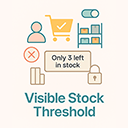
Visible Stock Threshold for WooCommerce
Show a capped "visible stock" and limit purchase quantities based on global, category, role, or product thresholds. Strict Mode is supported.
Will this break my store?
What the WordPress.org registry says about keeping Visible Stock Threshold for WooCommerce running.
Tested to 6.9.7 — 2 branches behind 7.1
A branch or two behind — normal for a plugin between releases.8 months ago
At least 2.4 releases a year since launch. WordPress.org only lists versions still available for download, so the real number may be higher.7.4
Your host must be running at least this version.5.8
woocommerce
These must be installed and active first.1
A single maintainer. Worth knowing if the plugin is load-bearing for your store.Maintenance & trust
Scored on how Visible Stock Threshold for WooCommerce is looked after — not on how many stores run it.
Maintenance
26 / 35WordPress compatibility
14 / 20Support responsiveness
Not enough dataMerchant satisfaction
Not enough dataListing transparency
10 / 10Ratings
No one has rated this plugin on WordPress.org yet. That is a statement about the ratings page, not about the plugin — plenty of well-kept plugins never collect them.
Visible Stock Threshold lets you control what customers see and can buy:
- Visible stock cap: If real stock is above the threshold, only the threshold amount is shown/purchasable.
- Strict Mode: If real stock ≤ threshold, the product is Out of Stock (not purchasable).
- Multiple levels: Per-product, per-category, role-based, or global default.
- Custom message: “Only {qty} left in stock” (fully editable).
- Secure limits: Frontend input is capped and server-side validations prevent bypassing limits.
- Variation support, i18n-ready, clean code, no templates overridden.
Precedence: Product > Role > Highest Category > Global.
Why this plugin?
Urgency marketing without lying: keep internal buffer stock while honestly limiting visible/purchasable quantity.
Works with
WooCommerce stock-managed products (simple & variations). If stock management is off, plugin stays out of the way.
No. It only changes what’s visible and purchasable to the customer.
If real stock ≤ threshold, the product is Out of Stock. If real stock > threshold, visible/purchasable qty = threshold.
Product > Role override > Highest category threshold > Global default.
Yes—each variation’s stock is treated independently.
If a product allows backorders (and stock management is enabled), the plugin still enforces the visible cap unless another plugin bypasses WC’s checks. Test your backorder flow.
Categories
Plugin details
Tags on WordPress.org
Alternatives
Other plugins in the same categories.

MoreConvert Wishlist for WooCommerce

ATUM WooCommerce Inventory Management and Stock Tracking

Back In Stock Notifier for WooCommerce | WooCommerce Waitlist Pro

WeeConnectPay – Clover Payment Gateway for WooCommerce
