
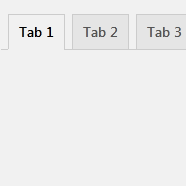
Custom Product tabs for WooCommerce
Create unlimited WooCommerce tabs and assign them in bulk by category, tag, brand, or product. Also disable WooCommerce’s default product tabs.
4.9
(48 ratings)Will this break my store?
What the WordPress.org registry says about keeping Custom Product tabs for WooCommerce running.
Tested to 7.1.2
Tested against the WordPress branch in use today.2 months ago
At least 7.8 releases a year since launch. WordPress.org only lists versions still available for download, so the real number may be higher.5.6
Your host must be running at least this version.3.6.0
woocommerce
These must be installed and active first.1
A single maintainer. Worth knowing if the plugin is load-bearing for your store.Maintenance & trust
Scored on how Custom Product tabs for WooCommerce is looked after — not on how many stores run it.
84
out of 100Maintenance
35 / 35WordPress compatibility
20 / 20Support responsiveness
5 / 20Merchant satisfaction
14 / 15Listing transparency
10 / 10Ratings
4.9
48 ratingsNeed a customized tab for your WooCommerce products? The Custom Product Tabs for WooCommerce plugin lets you effortlessly add an unlimited number of tabs to your product pages.
You don’t need to add tabs to every product manually. Instead, you can use global tabs and assign them to products based on Category, Tags, Brands, or individual products. Additionally, there’s also an option to create product-specific tabs if needed.
Enhance your WooCommerce product pages today with Custom Product Tabs for WooCommerce!
Features
✅ Unlimited Custom Tabs – Add as many custom tabs as needed for your WooCommerce products.
✅ Global Tabs – Create tabs that can be assigned to multiple products based on categories, tags, and WooCommerce brands.
✅ Category specific Tabs.
✅ Option to disable WooCommerce default product tabs such as the Description, Additional Information, and Reviews tabs.
✅ Product specific Tabs.
✅ Supports the default WordPress Exporter and the WordPress Importer plugin to migrate the tabs.
✅ Brand-Specific Tabs – Fully supports WooCommerce’s default brand functionality and third-party brand plugins like Perfect Brands for WooCommerce.
✅ YouTube Embed Support – Easily embed YouTube videos directly within product tabs.
✅ Sortable Tabs – Organize tabs with a priority input field for better content arrangement.
✅ Multi-Language Support – Compatible with WPML and Polylang for multilingual stores.
✅ Rich Content Support – Add extra product images, detailed descriptions, videos, FAQs, and more.
✅ Shortcode Compatibility – Use WordPress shortcodes to insert dynamic content into tabs.
✅ Tab slug – SEO friendly tab slug. Create specific URL for each tab. Easy to share tab content.
✅ Developer-Friendly Hooks – Includes multiple hooks for customization and integration with third-party plugins.
💬 Help Us Translate!
Want to see this plugin in your language? Contribute a translation and become a proud WordPress translation contributor. Your support makes a difference!
How to Use
-
Install & Activate the Plugin
- Go to WordPress Admin > Plugins > Add New
- Search for Custom Product Tabs for WooCommerce (or upload the plugin ZIP)
- Click Install Now, then Activate
-
Create a New Product Tab
- Navigate to Products > Tabs
- Click Add New Tab
- Enter a Tab Title and add content using the editor
-
Assign Tabs to Products
- You can assign tabs to:
- Specific Products
- Categories
- Tags
- Brands (Compatible with WooCommerce brands and third-party brand plugins)
- You can assign tabs to:
- Select the appropriate Products, Categories, Tags, or Brands in the assignment section
-
Product-Specific Tabs
- When editing a product, go to the Product Data section
- Navigate to the Custom Tabs tab
- Click Add New Tab, enter the tab title and content
- These tabs will only appear on the selected product
-
Tab Settings
- Go to Settings > Product Tab Settings
- Customize tab behavior, visibility, and default settings
- Configure the default order for global tabs
Translate tabs using Polylang
To add tabs to a product, navigate to the product edit screen in WooCommerce. In the left corner of the Product Data box, you will find the “Custom Tabs” option.
Absolutely. The plugin allows you to control which default WooCommerce tabs appear on product pages. You can enable or disable the Description, Additional Information, and Reviews tabs directly from the plugin settings.
Yes, you can add HTML content. The tab content section uses the standard WP editor, allowing you to include any HTML content supported by the WordPress post editor.
There is no restriction on the number of tabs you can add. You can include multiple tabs for individual products.
Global tabs are reusable tabs that can be assigned to multiple products based on their category, tags, brands.
Ensure the global tab is correctly assigned to products via categories, tags, or brands. Additionally, you can modify the default behavior of global tabs in the plugin settings. The “Global Tab Behavior” option allows you to display global tabs on all products, even without assigning them to specific categories, tags, or brands.
You can find the “Product Tab Settings” menu under the “Settings” menu in the WordPress admin dashboard.
To display global tabs on all products, visit the plugin settings and enable the “Global Tab Behavior” option. This will allow you to show global tabs across all products without needing to assign them to specific categories, tags, or brands.
Yes, by default, our plugin supports WooCommerce’s default brands. It also supports the Perfect Brands for WooCommerce plugin. Additionally, you can add support for your custom brands plugin using the filter hook: wb_cptb_thirdparty_brand_taxonomies. If you need help adding support for your brand plugin, please reach out to us via the support forum.
Yes, you can arrange both product-specific tabs and global tabs according to your preference.
For a detailed guide on positioning product tabs, please visit this article: How to Arrange WooCommerce Custom Product Tabs.
Yes, there are filters available to modify tab content and position. Developers can utilize these filters to programmatically manage the tabs.
Yes, you have the option to delete the tabs as needed.
To add YouTube videos to the tab content, simply use the YouTube embed button located just above the tab content editor.
On the tab edit screen, you have the option to manually enter a tab slug. Alternatively, you can generate a slug from the tab title.
For a detailed guide on translating WooCommerce product tabs using Polylang, please visit this article: How to translate tabs using Polylang.
Our plugin supports the default WordPress Export tool for exporting, and you can import using the WordPress Importer plugin.
You need to export and import Product-specific Tabs and Global Tabs separately, as they are custom post types.
Before importing Global Tabs, make sure to import Products, Categories, Tags, and Brands first. This ensures that all tab assignments are properly mapped to their corresponding items.
Categories
Plugin details
Tags on WordPress.org
Alternatives
Other plugins in the same categories.
Variation Swatches for WooCommerce

Product Bundle Builder for WooCommerce


Advanced Woo Labels – Product Labels & Badges for WooCommerce

Custom Product Tabs for WooCommerce & WordPress Tabs Builder – Smart Tabs
