

Out of Stock Message Manager for WooCommerce
Out of Stock Message Manager is an official plugin maintained by the Coderstime that add features on the woocommerce product stock out.
4.2
(6 ratings)Will this break my store?
What the WordPress.org registry says about keeping Out of Stock Message Manager for WooCommerce running.
Tested to 6.7.5 — 3 branches behind 7.0
A branch or two behind — normal for a plugin between releases.13 months ago
At least 3.2 releases a year since launch. WordPress.org only lists versions still available for download, so the real number may be higher.7.4
Your host must be running at least this version.4.9
woocommerce
These must be installed and active first.1
A single maintainer. Worth knowing if the plugin is load-bearing for your store.Maintenance & trust
Scored on how Out of Stock Message Manager for WooCommerce is looked after — not on how many stores run it.
52
out of 100Maintenance
15 / 35WordPress compatibility
7 / 20Support responsiveness
Not enough dataMerchant satisfaction
10 / 15Listing transparency
10 / 10Ratings
4.2
6 ratingsOut of Stock Manage for WooCommerce plugin is used to write out of stock custom message with different background and text color. This stock out message can be set on woocommerce specific product or all global products. You can inform your customer product stock status in product details page. How many product on your stock will show on product page.
You can change default stock out status message and change colors with where message will be shown.
FEATURES
Allow product specific message.
Allow global message from plugin settings.
Sold out badge for category and shop page also single product page
Can customize message showing position in product page.
Badge Position with customize color.
Admin will receive when a product stock out.
In Stock product quantity message on product page.
Variation swatches product wise stock out message also global message feature.
Block Theme support reactjs feature.
Sold Out Bage
Stock out message manage plugin has sold “Sold Out” badge feature. You can set sold out message in your language, Not fixed message.
Sold out badge will be shown on product details page, Category and Shop page. You can set it’s position Left Top or Right top position.
You also can set it background color with Text color. It will work both block theme and classical theme.
USEFULL LINKS:
How it works ?
🏆 Users’ Feedback For Out of Stock Message Manager
‘Excellent Support & Easy to use
I needed to get rid of the “Out of Stock” message and the “Sold Out” bubble completely and they helped me check the correct box to achieve what we needed for that single product. IMO if you are running a Woo system then you need this plugin. We sell tournaments and “Tournament is Closed” is better than “Out of Stock” 🙂
I love this plugin,
Steve
‘Getting Rid Of “OUT OF STOCK” Message’
After completing the build on my site for a digital product I disliked it saying out of stock because the product never is. This plugin was easy to use to remove that wording completely or replace it with something more appropriate.
It works as advertised and was quite easy. Keep up the good work.Carl M.
BusinessByWEB
Upgrade to Out of Stock Pro for Advanced Features:
Unlock additional features and support by upgrading to Out of stock message manage. This premium version of the out of stock message plugin offers enhanced features designed to take your business to the next level.
Out of stock message manage Pro Features:
-
Live Support: Receive assistance for first-time integration to ensure a seamless experience.
-
Installation Support: Out of stock plugin installation support.
-
Toast Notification: Toast Notification system with on/off feature.
-
Product wise subscriber Collect stock out product interested subscriber phone/email.
-
Same message for all stock out products: Global message for all products.
-
Group products: WooCommerce group products stock out message system.
-
WordPress and WooCommerce Support: If your wordpress and woocommerce version do not support our premium plugin we will give you support to work.
With the Out of stock message manager plugin, you can empower your website with cutting-edge features that cater to a diverse audience. Upgrade now to unlock the full potential of your product delivery strategy.
Try Out of stock message manager version.
Why does this plugin?
This plugin allows you to supply a literal message for stock out product.
Default “Out of Stock” Message
- Go to Dashboard > Out of Stock Menu
- Set Message, Badge, settings, get shortcode details
- Save Changes
Individual “Out of Stock” Message
- Go to Add/Edit product panel
- Open Inventory settings of product panel
- On Stock Status, check ‘Out of Stock’
- The Out-of-Stock Note field is displayed. Type your note/message in input field.
- Click Publish or Update
For Developers
By default, you don\’t have to modify any code of template file. Because the plugin automatically displays out of stock note right after product title in single product page (as seen above).
If you want to display the out of stock note at other places, use the codes below.
Getting individual note value: get_post_meta($post->ID, \’_out_of_stock_note\’, true);
Getting global note value: get_option(\’woocommerce_out_of_stock_note\’);
Use this shortcode to output stock out message
[wcosm_stockout_msg][/wcosm_stockout_msg]
Manual installation
Manual installation method requires downloading the Out of Stock Message plugin and uploading it to your web server via your favorite FTP application. The WordPress codex contains instructions on how to do this here.
- Upload this plugin to the /wp-content/plugins/ directory.
- Activate the plugin through the Plugins menu in WordPress.
- Go to Dashboard and select Out of stock menu.
- Go to Add/Edit product panel. Open Inventory setting of product data, select \”Out of Stock\” on \”Stock Status\” field. Then check global note or set individual note in \”Out of Stock Note\” field.
Variable Product Stock Out Message
Yes, We did it. Now you can set stock out message for your variable each product. You can also show global message for variable product. If you want to show custom message then you have to check for custom message.
Where Show Variable Message
On product page, When user select Like Color and Size then If that product of stock then Stock Out message will be shown below the variable product price.
Sold out Badge
We bring sold out badge on product image corner in 1.0.5 version. It will show on loop product and details product page. You can change ‘sold out’ text and it’s Background color. Also you can change it’s font color.
In stock feaute
On our 1.0.5 version we bring in stock message with how many product on your inventory. You can set it background and text color from Dashboard woocommerce inventory settings.
Admin Email Alert
- Go to WooCommerce > Settings > Emails. Then manage ‘Stock Out Alert’ email system.
How to contact your support?
You can contact us via the support Forum of WordPress or live support by whatsapp at +8801736458080 or Email at coderstime@gmail.com.
When activated this plugin will allow the admin to make changes in the custom fields. These settings can be changed at the Out of Stock Message Manager Plugin.
Yes, Our Stock out message manage plugin now support block based any theme. Our engineering team extend it’s features for block based theme from 2.0 version.
It’s mainly for who want to show out of stock product message in single product page.
Yes, Our Stock out message manage plugin now support woocommerce variable product based custom and global stock out message system. Our engineering team extend it’s features for block based theme from 2.5 version.
Admin can quickly type and set out of stock message. It can be set global message for all out of stock product and can custom message for special product.
Out of stock plugin is a quick solution for woocommerce product inventory system. When a product will be out of stock it will show a custom message which is one time set from woocommerce setting page. So it’s totally hassle free and easy to use.
Yes, Our plugin compatible with any kind of WooCommerce based theme including woostify / OceanWP / Astra / Flatsome / X-Theme / Avada / Storefront / Labomba / WR Nitro / Divi / BeTheme / blocksy / redlens / hever / swiftstore / kadence / justwrite / bard / shoppingcart / cosmetro / eona / graceful / Pink Theme / shoptimizer / wildwood. But sometimes it may require small css tweak. if you face any kind of problem, our dediated support team ready to help you.
Categories
Plugin details
Tags on WordPress.org
Alternatives
Other plugins in the same categories.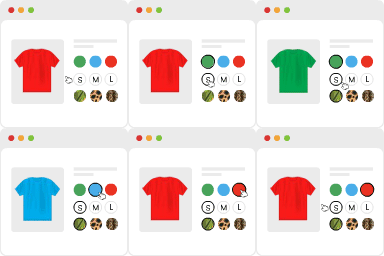
Variation Swatches for WooCommerce

Advanced Woo Labels – Product Labels & Badges for WooCommerce

Easy Auto SKU Generator for WooCommerce

PW WooCommerce Bulk Edit

PVT – Product Variation Table for WooCommerce
