
Products Per Page for WooCommerce
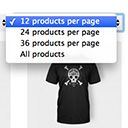
Products Per Page for WooCommerce is a easy-to-setup plugin that integrates a 'products per page' dropdown on your WooCommerce pages.
4.8
(80 ratings)Will this break my store?
What the WordPress.org registry says about keeping Products Per Page for WooCommerce running.
Tested to 6.8.8 — 3 branches behind 7.1
A branch or two behind — normal for a plugin between releases.12 months ago
At least 2.5 releases a year since launch. WordPress.org only lists versions still available for download, so the real number may be higher.false
Your host must be running at least this version.4.0.0
1
A single maintainer. Worth knowing if the plugin is load-bearing for your store.Maintenance & trust
Scored on how Products Per Page for WooCommerce is looked after — not on how many stores run it.
79
out of 100Maintenance
26 / 35WordPress compatibility
14 / 20Support responsiveness
Not enough dataMerchant satisfaction
13 / 15Listing transparency
10 / 10Ratings
4.8
80 ratingsProducts Per Page for WooCommerce is a simple plugin that adds a very valuable feature to your site; the ability for you and the customer to change the products listed per page.
When your customers are shopping online they want the best experience possible, for some this means to have a small amount of products per page, while others like to have a long list of many (all) products available.
Using the Products Per Page for WooCommerce your customers can choose how many products they want to see per page.
Products Per Page for WooCommerce dropdown is easy to use and has several other product page settings available.
When activated the plugin already works and has multiple settings you can set to your desire.
Options like:
- Dropdown position (top or bottom, top and bottom)
- List op options products per page to show to your visitors
- Default number of products per page
- Columns per page
Look at the screenshots!
Translations
– Dutch
– French
– Persian
– German
– Danish
– Spanish
– Brazilian
– Russian
– Hebrew
– Swedish
– Romanian
At this moment the plugin doesn’t work with manual shortcodes that list products, only on the official WooCommerce shop page (this includes category archives etc).
There’s a chance that your theme or another plugin is overriding the number of products per page. This functionality may need to be disabled in order for the plugin to work.
First try to determine what is causing this, your theme or a plugin. This can be done by switching themes / enable/disable plugins to see when the dropdown starts to work.
When determined what is causing it, it is possible to figure out what code is executed and how to disable that.
Feel free to open a support thread if you need any further help. Please do note that I cannot help everyone and every theme to be compatible.
Categories
Plugin details
Tags on WordPress.org
Alternatives
Other plugins in the same categories.
Advanced Woo Labels – Product Labels & Badges for WooCommerce

Custom Product Tabs for WooCommerce & WordPress Tabs Builder – Smart Tabs

Easy Auto SKU Generator for WooCommerce

PW WooCommerce Bulk Edit

PVT – Product Variation Table for WooCommerce
