
YITH WooCommerce Ajax Product Filter
YITH WooCommerce Ajax Product Filter offers you the perfect way to filter all products of your WooCommerce shop.
3.5
(98 ratings)Will this break my store?
What the WordPress.org registry says about keeping YITH WooCommerce Ajax Product Filter running.
Tested to 7.1.3
Tested against the WordPress branch in use today.1 month ago
At least 5.9 releases a year since launch. WordPress.org only lists versions still available for download, so the real number may be higher.8.0
Your host must be running at least this version.6.9
woocommerce
These must be installed and active first.1
A single maintainer. Worth knowing if the plugin is load-bearing for your store.Maintenance & trust
Scored on how YITH WooCommerce Ajax Product Filter is looked after — not on how many stores run it.
71
out of 100Maintenance
35 / 35WordPress compatibility
20 / 20Support responsiveness
0 / 20Merchant satisfaction
6 / 15Listing transparency
10 / 10Ratings
3.5
98 ratingsE-commerce product filtering is a must-have tool to help your customers narrow in on the product they’re looking for and find products they might be interested in based on specific features (size, color, category, etc.)
A reliable product filtering is what allows your visitors to enjoy and appreciate your product catalog instead of leaving it after a few seconds.
After all, if users can’t easily browse your product lists, they can’t easily find what they are looking for. And if they can’t find it, they can’t buy it. It’s easy to understand. 🙂
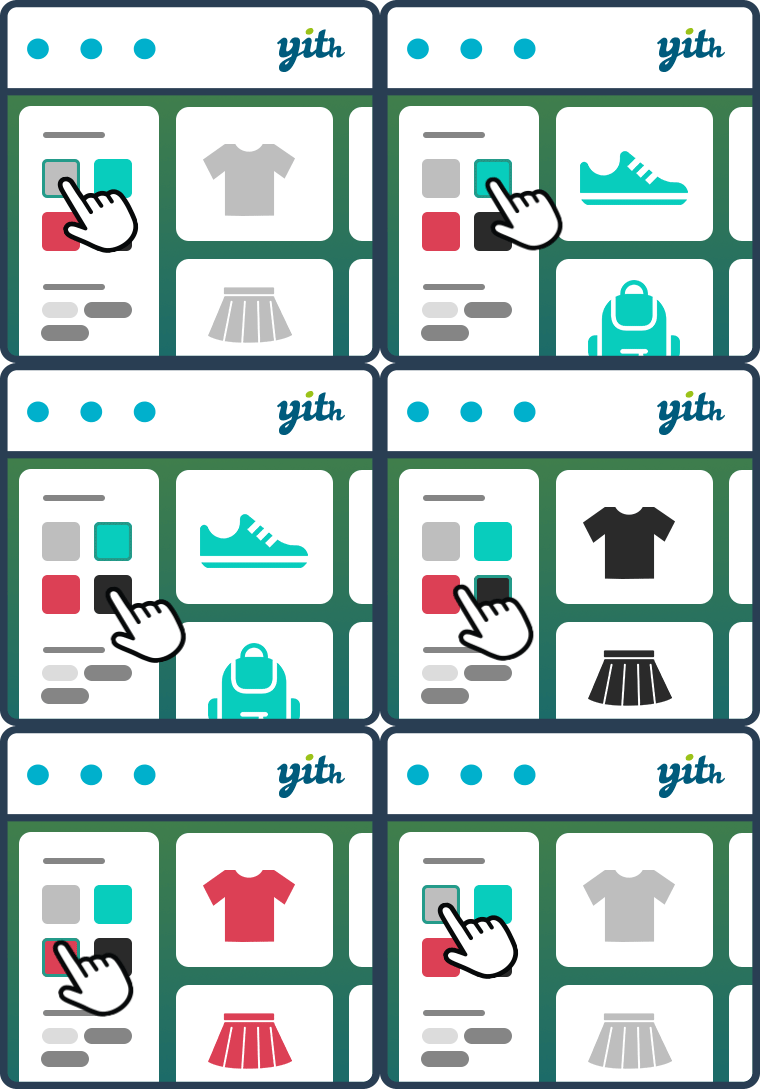
With the YITH WooCommerce Ajax Product filter its latest massive redesign, you can finally tackle the user experience in your WooCommerce powered shop. You can help your customers easily find and filter your products by categories, tags, taxonomy, and all kinds of attributes like sizes, colors, materials, brands, etc.
You can create unlimited presets and show the filters on standard WooCommerce pages (Shop, Category pages) or custom pages created with Gutenberg or Elementor. You can add your filters anywhere, using the built-in widget, shortcode, or Gutenberg block. In this way, you can create a preset of filters for the shop page, a preset of filters for a specific product category, another preset of filters for a custom page, and so on: no limits and total maximum control.
YITH WooCommerce Ajax Product filter features
FREE VERSION
- Easily create and customize unlimited presets of filters to show on different pages (New from 4.0!)
- Show filters using widget shortcodes and Gutenberg blocks (also on custom pages) (New from 4.0!)
- Filter by product categories (New from 4.0!)
- Filter by tags (New from 4.0!)
- Filter any product attributes (color, size, material, etc.)
- Choose the filter style (checkbox, select, text and color swatches)
- Choose the ordering of the terms
- Choose whether to show terms hierarchy or not
- Allow multiple selections (with AND or OR) or not
- Adoptive filtering: terms not available will be hidden
- Show a “Reset Filters” button
- Scroll-to-top option in mobile devices and/or desktop
- SEO options (Activate/deactivate the indexing of the generated URLs in search engines for the filter operation of the plugin) (New!)
- Beautiful & modern design, suitable for each kind of shop or theme
- Performance enhancements: lazy load filters and paginate terms in AJAX to reduce initial page loading time (New!)
See it in action here:
Check the Live Demo of the free version >
NEED MORE? CHECK THE PREMIUM VERSION!
With the latest update, we have improved the UX and added significant features to our free version. For example, in the previous versions, some essential features like “filter by category” or “filter by tag” options were missing. We worked hard to release a free plugin that works for our users. Anyway, if you want more (like a mobile-friendly design inspired by the larger e-commerce sites), feel free to check the features we provide in our excellent premium version:
- Two additional layouts for the color filter: bicolor and image support (to better represent gradients, textures, patterns…)
- Additional layout: label/image. Upload icons, photos and images to identify terms
- Choose the position of the reset button (above products, above or under filters area)
- Choose whether to show active filters (with X to remove them) or not and their position (above products, above or under filters area)
- Modal window on mobile: a layout for filters 100% optimized for mobile devices! (Other plugins just add filters after the products list on mobile, yet, in this way, product filtering on smartphones and tablets is not working. We are the first to have designed and developed a 100% mobile-friendly filtering solution: in a modal window inspired by the largest e-commerce sites!)
- Filter for reviews
- Price slider to filter products by price
- Price ranges with unlimited ranges (last range can show “& above”)
- Filters to show on sale/in-stock products
- Ajax sorting for products displayed on the page (by rating, price, popularity, latest)
- Show an optional tooltip on hover for terms
- Show filters as a toggle (opened or collapsed by default)
- Show or hide the count of items
- Adoptive filtering: choose whether terms not available must be hidden (as in the free version) or keep them visible but not clickable (only in premium)
- Variations filtering: make sure variable products are displayed in the filter results only if at least one of the variations matches the current selection, and replace the product image with the one of the variation (New!)
- Choose to hide empty terms and out of stock products automatically
- Customize colors and style of filters area through the dedicated “customization” tab (colors, color swatches size, select and checkbox type, etc.)
- Upload a custom loader
- Permalinks management: choose to keep permalinks unchanged, change them by adding filtered terms or use a custom user-friendly and shorter permalink (for a better sharing experience!)
- Use instant AJAX filtering or show a button to apply filters manually without AJAX
- Choose whether to show filter results on the same page or a new page
- Compatible with the YITH WooCommerce Brands Add-on plugin
See it in action here (we have three different demo samples):
Check the Live Demo of the premium version >
And if you love it, get it!
GET THE PREMIUM VERSION HERE with a 100% Money Back guarantee >
Widgets will continue to work with the 4.x version, and we will continue to support them in the upcoming plugin versions. We encourage you to give the Preset system a try and, if you like it, to switch from widgets to Presets (we even included a tool to help you transition to the new system)
We will eventually deprecate old widgets, but we will make sure to notify everyone before this happens 🙂
It will be as easy as clicking a button: when updating to version 4.x, if you’re already using the plugin’s widgets, the system will automatically add a note in presets pages
Clicking on that note, you’ll be able to run our automatic conversion tool to create preset from your current sidebar configuration.
After creating presets, you’ll just need to use the YITH AJAX Filter Preset widget in your sidebar, replacing previous widgets, and selecting the desired presets.
If you accidentally hide the Upgrade popup, don’t worry: you can run the same process from WooCommerce -> Status -> Tools
You can read more about the upgrade process here
The chances are that you’ve already seen it in some store, given its great adoption 🙂
The best way to test the full functionality is on our Live demo, where you’ll be able to create your test-environment and try every option of the plugin
If you want more, you could also look at our premium version here
Our plugin automatically hides filters that don’t have any matching item with current product selection (this mostly work on shop-pages or product taxonomies)
If you think filters are incorrect, you could try to clear plugin transients, visiting WooCommerce -> Status -> Tools and using the dedicated button.
Our plugin doesn’t change the product list until a filter is activated
If you feel something is strange with your current product selection, you should try to clear plugin transients, visiting WooCommerce -> Status -> Tools and using the dedicated button.
Compatibility with all themes is impossible because there are too many who don’t follow the recommended coding standards for WooCommerce, but generally if themes are developed according to WordPress and WooCommerce guidelines, YITH plugins are compatible with them.
For an optimal result, we suggest you use our plugins in conjunction with our amazing YITH Proteo theme, available for free download on WordPress.org
If you find incompatibilities with your current theme, don’t hesitate to report them on the support forum, and we’ll do our best to provide official support
This could be related to an incompatibility with your theme; in most cases, it could be caused by missing JS initialization after filtering, but also some template elements (such as sidebars or titles) could be missing after load
We suggest you test the plugin on a default twenty theme
If the problem persists, then it could be something specific with the plugin, and we invite you to report on the support forum
Otherwise, the problem is most probably related to theme incompatibility; in this case, your best chance is to contact theme’s developers, but you can also report on the support forum to let us know, and give us the chance to schedule a test.
If you have problems with our WooCommerce plugins or something is not working as it should, first follow these preliminary steps:
- Test the plugin with a WordPress default theme, to be sure that the error is not caused by the theme you are currently using.
- Deactivate all plugins you are using and check if the problem is still occurring.
- Ensure that your plugin version, your theme version, and your WordPress and WooCommerce version (if required) are updated and that the problem you are experiencing has not already been solved in a later plugin update.
If none of the previous listed actions helps you solve the problem, then, submit a ticket in the forum and describe your problem accurately, specify WordPress and WooCommerce versions you are using, and any other information that might help us solve your problem as quickly as possible. Thanks!
You can report security bugs through the Patchstack Vulnerability Disclosure Program. The Patchstack team help validate, triage and handle any security vulnerabilities. Report a security vulnerability.
Categories
Plugin details
Tags on WordPress.org
Alternatives
Other plugins in the same categories.
Ivory Search – WordPress Search Plugin

Filter Everything — WordPress & WooCommerce Filters

Relevanssi – A Better Search

WP Fastest Site Search
Product Filter for WooCommerce by WBW
