
Conditional Cart Messages for WooCommerce – YourPlugins.com
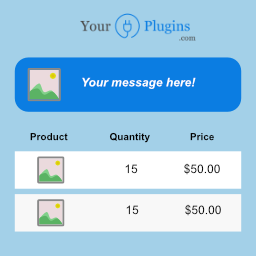
Show cart messages or notices in your WooCommerce cart by using conditional rules! Made with love by yourplugins.com
50+ active installsFree on WordPress.org
5.0
(4 ratings)Will this break my store?
What the WordPress.org registry says about keeping Conditional Cart Messages for WooCommerce – YourPlugins.com running.
WordPress compatibility
Tested to 7.1.3
Tested against the WordPress branch in use today.Last updated
6 days ago
At least 4.6 releases a year since launch. WordPress.org only lists versions still available for download, so the real number may be higher.Requires PHP
false
Your host must be running at least this version.Requires WordPress
4.3.1
Contributors
1
A single maintainer. Worth knowing if the plugin is load-bearing for your store.50+ active installsWordPress.org reports installs in bands, not exact counts.
Maintenance & trust
Scored on how Conditional Cart Messages for WooCommerce – YourPlugins.com is looked after — not on how many stores run it.
96
out of 100Well maintainedSome ratings or support history.
Maintenance
35 / 35WordPress compatibility
20 / 20Support responsiveness
Not enough dataMerchant satisfaction
11 / 15Listing transparency
10 / 10Ratings
5.0
4 ratings5★4
4★0
3★0
2★0
1★0
Show cart messages in WooCommerce cart based on conditional rules
Adding cart notices to your e-commerce cart? Very easy with Conditional Cart Messages.
A more dynamic way to show a message or a notice in your WooCommerce cart!
✅ NEW: Fully compatible with WooCommerce 8.3+ Block-based Cart & Checkout!
- You can set different rules to make the message appear, such as the total price of the cart or the product price.
- Combine the rules to make the message appear at specific conditions, for example: If the total price of the cart is greater than $ 100 and the quantity in the cart is less than 5 show the message.
- Use the AND or OR operators to combine rules. You can also create rule groups.
- Works with both classic WooCommerce templates and new Gutenberg blocks – no configuration needed!
- Future-proof: Automatically detects and adapts to your cart/checkout template type
You can find the official documentation here.
Looking for more features?
- Display a message also in the checkout, product, shop or any other page
- Get more conditions: Price, Products, Categories, User Roles, User Types, Billing and Shipping Country, Start and End Date, Product Quantity, Total Quantity, Total Amount, Total Net Amount, Total Taxes, Shipping Total, Total Coupon Discount Amount, Referrer URL
- Create unlimited message templates
- Add an icon to your message
- Add a button to your message
- Choose the background color (also on hover), the border color (also on hover), and the text color of your message
- Choose the background color, the border color, and the text color of your button
Check all the other premium features here.
A brief Markdown Example
- From your WordPress back-end click on “YourPlugins > WooCommerce Conditional Cart Notices”
- Click on “New Notice” and type in a “Name”
- Click on “Add rule” and set the following condition: “Price” “greater or equal” “100”
- Set “Show Notice In” = “Cart” and add a message inside the field “Notice Message”
- Click on “Save”.
- Create a WooCommerce Product with a price greater then 100.
- Add the created product to cart and check your cart: A message should appear.
Plugin details
Version1.3.4
Last updated2026-10-12 6:51am GMT
Added2021-04-27
Requires WordPress4.3.1
Tested up to7.1.3
Requires PHPfalse
Tags on WordPress.org
cart
checkout
messages
notices
woocommerce
Alternatives
Other plugins in the same categories.
WooCommerce
7M+ installs
4.5(4,823)


CoCart – Headless REST API for WooCommerce
900+ installs
4.9(21)

XT Ajax Add To Cart for WooCommerce
1K+ installs
4.8(30)

WPC Fly Cart for WooCommerce
10K+ installs
4.7(61)

WP Menu Cart
8K+ installs
4.8(23)