
Smart Match for WooCommerce
AI-powered product content generator for WooCommerce. Write titles, descriptions, tags, categories, and variation descriptions with one click.
Will this break my store?
What the WordPress.org registry says about keeping Smart Match for WooCommerce running.
Tested to 7.1.3
Tested against the WordPress branch in use today.2 months ago
At least 5.6 releases a year since launch. WordPress.org only lists versions still available for download, so the real number may be higher.7.4
Your host must be running at least this version.6.0
woocommerce
These must be installed and active first.1
A single maintainer. Worth knowing if the plugin is load-bearing for your store.Maintenance & trust
Scored on how Smart Match for WooCommerce is looked after — not on how many stores run it.
Maintenance
35 / 35WordPress compatibility
20 / 20Support responsiveness
Not enough dataMerchant satisfaction
Not enough dataListing transparency
10 / 10Ratings
No one has rated this plugin on WordPress.org yet. That is a statement about the ratings page, not about the plugin — plenty of well-kept plugins never collect them.
Smart Match for WooCommerce uses artificial intelligence to generate and organize your product content. From a single modal, generate product titles, short descriptions, full descriptions, tags, categories, and variation descriptions — all tailored to your product with one click. Bring your own API key — or use your site-wide WordPress AI connector (WordPress 7.0+) with no plugin key at all. No subscriptions or credits required.
Features
- AI Content Generator – Generate title, short description, full description, tags, categories, and variation descriptions from a single modal
- Multiple AI Providers – Supports OpenAI, Anthropic (Claude), and Google Gemini APIs
- WordPress AI Connector Support – On WordPress 7.0+, use the site-wide AI connector configured under Settings > Connectors instead of a plugin API key; automatic mode prefers the connector when one is configured
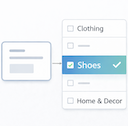
- Category Suggestions – AI analyzes your product content and suggests matching categories from your store’s existing taxonomy, with confidence scores
- Variation Descriptions – Unique AI-generated descriptions for each product variation
- Style & Length Controls – Choose tone and length before generating
- AI Effort Setting – Choose Economy, Balanced, or Thorough reasoning effort on models that support it; the Economy default keeps API costs down
- Estimated Cost Display – See an estimated USD cost alongside the token count after each generation
- Manual Apply – Review, select, and apply generated content with one click; nothing is applied automatically
- Customizable Prompts – Advanced users can adjust the AI prompt template
- Rate Limiting – Built-in usage warnings to help manage API costs
- Developer Friendly – Includes filters and actions for customization
How It Works
- Configure your preferred AI provider (OpenAI, Anthropic, or Google Gemini) in settings
- Navigate to any product edit screen
- Click “Generate with AI ✨” in the Smart Match AI metabox
- Choose which fields to generate and your preferred style/length
- Click Generate and review the results
- Select the content you want and click Apply
Requirements
- WooCommerce 8.0 or higher
- PHP 7.4 or higher
- An API key from OpenAI, Anthropic, or Google AI Studio — or, on WordPress 7.0+, a site-wide WordPress AI connector configured under Settings > Connectors
External Services
This plugin connects to external AI services to generate and analyze product content. When you click “Generate”, data is sent to your selected AI provider — either directly using the API key saved in the plugin, or through the site-wide WordPress AI connector (WordPress 7.0+) when that connection is active. In both cases the data goes to the same provider you selected in the plugin settings.
OpenAI API
- Service Website: https://openai.com
- Terms of Use: https://openai.com/policies/terms-of-use
- Privacy Policy: https://openai.com/policies/privacy-policy
Anthropic API
- Service Website: https://www.anthropic.com
- Terms of Use: https://www.anthropic.com/legal/consumer-terms
- Privacy Policy: https://www.anthropic.com/legal/privacy
Google Gemini API
- Service Website: https://ai.google.dev
- Terms of Use: https://ai.google.dev/gemini-api/terms
- Privacy Policy: https://policies.google.com/privacy
Data Transmitted:
When you generate content for a product, the following data is sent to your selected AI provider:
- Product title
- Product short description
- Product full description
- Product attributes (if enabled in settings)
- Product tags (if enabled in settings)
- Your store’s category names and hierarchy
No customer data, order information, or personal data is ever transmitted.
Your API key is encrypted using WordPress security keys before being stored in the database.
Privacy Policy
Smart Match for WooCommerce sends product data to external AI services when you click “Generate” or “Analyze Product”. This is necessary for the plugin to function. Requests are sent either directly with the API key saved in the plugin, or through the site-wide WordPress AI connector (WordPress 7.0+) when that connection is active — in both cases only to the provider selected in the plugin settings.
Data transmitted includes:
- Product title, descriptions, attributes, and tags
- Your store’s category taxonomy (names only)
Data NOT transmitted:
- Customer information
- Order data
- Payment information
- Personal data of any kind
Your API key is encrypted using WordPress security keys before storage in the database. All communication with AI providers uses HTTPS encryption.
For complete privacy information, please review the privacy policies of your chosen AI provider:
- OpenAI: https://openai.com/policies/privacy-policy
- Anthropic: https://www.anthropic.com/legal/privacy
- Google: https://policies.google.com/privacy
Usually, yes — you provide your own API key from OpenAI, Anthropic, or Google AI Studio. On WordPress 7.0 or later, you can instead use a site-wide WordPress AI connector configured under Settings > Connectors, in which case no plugin API key is needed. The plugin does not include API access or credits.
All three providers work well. OpenAI’s GPT-5.6 Luna is a fast, affordable all-rounder. Google Gemini 3.7 Flash is quick and inexpensive, and Google AI Studio offers a free tier — ideal if you want to try the plugin at no cost. Anthropic’s Claude Haiku 4.5 is an excellent alternative with strong writing quality.
The plugin itself is free. You pay only for API usage to your chosen provider. A typical content generation costs less than $0.01 with the fast models such as GPT-5.6 Luna, Gemini 3.7 Flash, or Claude Haiku 4.5 — and the plugin shows an estimated cost after each generation so you can keep an eye on it.
Your API key is encrypted before storage using WordPress security keys. Product data is sent directly to your chosen provider via HTTPS. No data is stored on third-party servers beyond what’s needed for the API request.
Yes. Advanced users can customize the prompt template in Settings > Advanced Settings.
All generated content is shown for review before applying. You choose which fields to apply and can edit the content directly in the modal. Nothing is changed on your product until you click Apply.
Yes. For variable products, the plugin can also generate unique descriptions for each variation tailored to its specific attributes.
Yes, you can exclude specific categories in the plugin settings.
The plugin includes configurable rate limiting. You’ll see a warning when approaching your limit. You can adjust the threshold in settings.
Plugin details
Tags on WordPress.org
Alternatives
Other plugins in the same categories.
Enable Abilities for MCP

MxChat – AI Chatbot & Content Generation for WordPress

Notification for Telegram

BEAR – Bulk Editor for WooCommerce Professional. AI assistant on board (MCP Server)

Mail Mint – Email Marketing, Automation & WooCommerce Emails with AI Assistance
