

Tiered Pricing Table for WooCommerce
Create bulk, wholesale, and quantity-based pricing in WooCommerce with flexible tables, role-based pricing, and powerful upsells.
4.7
(104 ratings)Will this break my store?
What the WordPress.org registry says about keeping Tiered Pricing Table for WooCommerce running.
Tested to 7.2
Tested against the WordPress branch in use today.3 days ago
At least 11.6 releases a year since launch. WordPress.org only lists versions still available for download, so the real number may be higher.7.4
Your host must be running at least this version.5.0
woocommerce
These must be installed and active first.2
Maintenance & trust
Scored on how Tiered Pricing Table for WooCommerce is looked after — not on how many stores run it.
97
out of 100Maintenance
35 / 35WordPress compatibility
20 / 20Support responsiveness
Not enough dataMerchant satisfaction
13 / 15Listing transparency
10 / 10Ratings
4.7
104 ratingsTiered Pricing Table for WooCommerce lets you create bulk discounts, wholesale pricing, and quantity-based offers to increase average order value.
Easily set different prices based on quantity, user roles, or specific customers — and display them using beautiful, customizable pricing tables, blocks, or dropdowns.
Live Demo | Documentation | Contact Us | Plugin Website
You can apply custom pricing to individual products or categories, all users, specific user roles, or customer accounts.
Fine-tune pricing for any business model — from retail to wholesale — to serve different customer groups effortlessly.
📌 Key features:
✅ Quantity-based pricing (Volume pricing)
Offer different prices based on the quantity purchased to encourage larger orders.
✅ Role and Customer based pricing
Create custom pricing for user roles or individual customers, including quantity-based discounts.
✅ Minimum, Maximum & Step Quantity Controls
Define minimum and maximum purchase quantities, and enforce quantity increments.
✅ Discount-friendly price formatting
Display pricing in a way that highlights savings, including the lowest price, a price range or even a custom template.
✅ Request a Quote
Allow customers to request a quote with customizable form builder and flexible settings.
✅ Wholesale registration & approval
Let customers apply for a wholesale account with a customizable form, approve them in a queue, and give them the wholesale role automatically. Four e-mails keep everyone informed.
✅ Private store & catalog visibility
Close the store to visitors, or show products and categories to selected roles only for wholesale-only or retail-only catalogs.
✅ Flexible pricing display (product page & catalog)
Display tiered pricing in the format that best fits your store:
➖ Table (5 styles)
➖ Blocks (5 styles)
➖ Options (4 styles)
➖ Dropdown
➖ Horizontal Table
➖ Plain text
➖ Tooltip
See screenshots for examples
The clean interface and powerful functionality allow you to create any pricing strategy without complexity.
⚙️ Advanced Features
✅ Import & Export (WP All Import support).
✅ Pricing Labels – Create labels such as “Best Value” or “Most Popular” to make key pricing tiers stand out.
✅ Role Management – Create, edit, and delete user roles with ease.
✅ Built-in Caching – Improve performance with integrated caching.
✅ REST API & Debug Mode – Extend functionality through a REST API and troubleshoot issues with a dedicated debug mode.
✅ Savings Display – Show customers how much they save with customizable messages such as “You Save: $9.99”.
And much more!
💎 Premium Extras:
- Percentage quantity-based discounts
- Role-based and customer-based pricing (including base prices and min/max order quantity)
- Role-based tax options (Override tax options for specific user roles)
- Custom columns for pricing table
- Option to hide prices and prevent purchasing for non-logged-in users
- Cart rules by role: a minimum order amount or quantity per role, payment and shipping methods limited to roles
- Min/Max order quantity control per product or category/tag/brand
- Cart upsells (motivates users to purchase more to get a discount)
- Totals on the product page
- Clickable tiered pricing
- Show the lowest price or a range of prices instead of default product price
- Show the tiered price in the cart as a discount
Works Seamlessly with 3rd-party plugins:
⭐ WP All Import
⭐ Elementor
⭐️ WPML
⭐️ WPML Multicurrency
⭐️ WooCommerce Product Add-ons
⭐️ Aelia Multicurrency
⭐️ Yith Request a Quote
⭐️ Request a Quote by Addify
⭐️ Product Bundles for WooCommerce
⭐️ WOOCS (WooCommerce Currency Switcher by FOX)
⭐️ WCCS (WooCommerce Currency Switcher by WP Experts)
⭐️ WCPA (WooCommerce Custom Product Addons)
⭐️ Product Fields (Product Addons by StudioWombat)
⭐️ WooCommerce Deposits
⭐️ Mix&Match for WooCommerce
⭐️ Yoast and Rank Math SEO plugins
Get more information about the Tiered Pricing Table for WooCommerce
Feel free to Contact us if you have any questions.
Set up a demo to see how the plugin works in action.
Does this plugin support variable products?
Yes, tiered pricing works with both simple and variable products.
Can I apply discounts per category?
Yes, you can create global pricing rules for categories.
Does it work with taxes and coupons?
Yes, the plugin integrates with WooCommerce taxes and coupons.
What does the import format look like?
quantity:price,quantity:price
For example:
“10:20,20:18” – in this case 20.00$ at 10 pieces, $18.00 at 20 pieces or more.
The exact format is used for the percentage-based rules:
“quantity:discount,quantity:discount”
Please note that you must use a dot as a decimal separator because a comma separates the pricing rules.
You can change the rules separator (in case you use a comma as a decimal separator) using the “tiered_pricing_table/rules_separator” hook.
For example, the following code will change the separator to “&”:
add_filter(‘tiered_pricing_table/rules_separator’, function(){
return ‘&’;
});
Can I show the tiered pricing using a shortcode?
Yes! The plugin provides the [tiered-pricing-table] shortcode that can be customized with various attributes.
Can I show the tiered pricing via Elementor?
Yes! Look for the “Tiered Pricing Table” widget.
Can I show the pricing table/pricing blocks/pricing options via Gutenberg block?
Yes! Look for the “Tiered Pricing” block.
Can I apply tiered pricing for manual (admin-created) orders?
Yes!
Each order has the “recalculate with tiered pricing” button, which recalculates the cost according to the tiered pricing rules.
Categories
Plugin details
Tags on WordPress.org
Alternatives
Other plugins in the same categories.
YayPricing – WooCommerce Dynamic Pricing & Discounts

Variation Price Display Range for WooCommerce

Wholesale Suite – B2B, Dynamic Pricing & WooCommerce Wholesale Prices

Discount Rules and Dynamic Pricing for WooCommerce
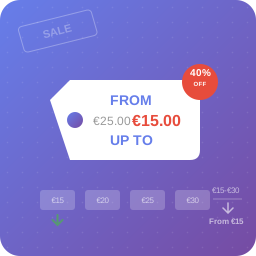
Show only lowest prices in variable products for WooCommerce
