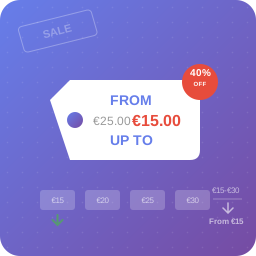
Custom Price for WooCommerce
Name your price WooCommerce plugin. Add the custom price field for products. Let your customers decide how much they want to pay for products.
4.2
(5 ratings)Will this break my store?
What the WordPress.org registry says about keeping Custom Price for WooCommerce running.
Tested to 7.1.3
Tested against the WordPress branch in use today.7 days ago
At least 9.8 releases a year since launch. WordPress.org only lists versions still available for download, so the real number may be higher.7.4
Your host must be running at least this version.6.4
4
Maintenance & trust
Scored on how Custom Price for WooCommerce is looked after — not on how many stores run it.
94
out of 100Maintenance
35 / 35WordPress compatibility
20 / 20Support responsiveness
Not enough dataMerchant satisfaction
10 / 15Listing transparency
10 / 10Ratings
4.2
5 ratingsUse the plugin to let your customers set the custom product prices. The new price will be based on user input. Use the Custom Price plugin to let your clients pay what they want.
🚀🚀🚀
By default, in WooCommerce you set the fixed product prices. But sometimes you need to give the option to change the price to your customers. The plugin will add a custom price field for the products you want.
When to use custom prices in WooCommerce
- You’d like customer to input price on the WooCommerce product page
- You’d like to create a WooCommerce product with a customer choosen price
- You’d like to enable the name your price option for donations
- You’d like to enable own prices for PDF gift cards. The plugin is compatible with Flexible PDF Coupons
- You’d like to cover the Pay What You Want scenarios
- You’d like to implement the price requests in your store based on the customized price field
- You’d like to add new products when you need a Call for Price or Price on Demand feature
- You’d like to set up customer-adjusted prices to upsell products, increase your sales, and promote your store
- Youd’like to create online bill pay form on the WooCommerce product page. Add new fields from with
Features
- ✅ Use for Simple and Variable Products
- ✅ Simple settings
- ✅ Set the Custom Price Label globally & also for each WooCommerce product and variations
- ✅ Seamless integration with Flexible PDF Coupons
You may also use additional features of the Custom Price for WooCommerce PRO! Let’s see them below.
PRO features of Custom Price for WooCommerce
- PRO Suggested Price,
- PRO Suggested Price Text,
- PRO Suggested Price as description, as value, or placeholder,
- PRO Minimum Price,
- PRO Minimum Price Text,
- PRO Maximum Price,
- PRO Maximun Price Text,
- PRO Hide Minimum and Maximum Price,
- PRO Add to Cart Button Text.
If you need such options, upgrade to PRO now →
Premium Live Demo
You may test Custom Price for WooCommerce (free and PRO) and all of our plugins in your free demo.
Languages
The Custom Price for WooCommerce plugin is available in:
- English
- Polish
You may help us translate the plugin.
Documentation
Please visit the official documentation of Custom Price for WooCommerce to learn more about the plugin’s features and settings.
Roadmap
In the future, we plan to add the following features to the plugin to make it more flexible and versatile:
- Graphical presentation of price options,
- Custom Price slider and tiles,
- Steps and Incrementent Arrows for the name your price option,
- Customizable notice after adding the product to the cart,
- Change the default position of the price field.
If you have questions, feature requests, or any interesting ideas – let us know! 🙂
Data use policy
Learn about Use of Data Policy by WP Desk Plugins
I want to add a custom price field, can I use it for every product in WooCommerce?
Yes, you may enable the field for Simple and Variable WooCommerce Products. For simple products, go to the Product Edit Screen -> Product data section -> General -> Enable the Custom Price checkbox. For variations, open the Variations tab in the Product data section. Click on each variation and enable the checkbox.
Can I enable the feature for other types of products?
Yes. The PRO version of the plugin supports option of name your price for WooCommerce Subscriptions products. So, you can let your customers change the price of simple and variable subscription-based products too.
Can I change the price label for all WooCommerce products?
Yes, you can set that globally. Go to WooCommerce -> Settings -> Products -> Custom Price tab to manage the default price label of the field.
Why customize the label of the custom price field?
That’s useful when you want to add a short description or instructions. For example, for Pay What You Want, price on request, call for price, upsell products, name a price or any marketing scenarios you wish to have in your WooCommerce.
How to define the minimum or maximum custom price?
You can add the information about the recommended (minimum and maximum) price in the product description. You may also set those limits in the PRO version of the plugin.
Is there a way to suggest the price?
You may use the Suggest the price option in PRO. In the free version of the plugin, you can add a text e.g. in the product description, or use the label of the new price field.
Can I change the text of the Add to Cart button?
It’s possible in the PRO version of the plugin.
Customizable Price for WooCommerce Gift Cards
You may let your customers name a price of PDF vouchers and gift cards as well. If you need the free plugin to create beautiful PDF gift cards and vouchers – use Flexible PDF Coupons.
How to configure the plugin?
We have prepared for you the step-by-step guide in the documentation.
Do you offer support?
We provide limited support for the free version on the plugin’s Support Forum.
In the PRO version, you get the priority e-mail support as well as all PRO features. Upgrade Now →
Yes. You can test the plugin in your free demo.
Where do I report security bugs found in this plugin?
Please report security bugs found in the source code of the Custom Price for WooCommerce plugin through the Patchstack Vulnerability Disclosure Program. The Patchstack team will assist you with verification, CVE assignment, and notify the developers of this plugin.
How does the pay bill form can work?
Create a product called ‘Pay Bill’. You may add new fields such as invoice number using Flexible Product Fields →.
Payment can be processed via WooCommerce and payment gateways.
Issue invoices using the Flexible Invoices WooCommerce and WordPress →.
More ways for name your price sceenarios
- Integrate Custom Price for WooCommerce with external plugins including Flexible Coupons, Flexible Product Fields, WooCommerce Subscriptions, and more!
- Create variable products, only one of which will support the name your price scenario,
- Change the labels to suit your store scenario.
Where can I read more about the plugin?
Read some articles and see how to use the plugin in your WooCommerce.
* How to enable custom price calculation in WooCommerce product?
* Custom price based on user input in WooCommerce
* Give your website visitors the option to enter a donation amount
* The Documentation of the plugin
Categories
Plugin details
Tags on WordPress.org
Alternatives
Other plugins in the same categories.
YayPricing – WooCommerce Dynamic Pricing & Discounts

Variation Price Display Range for WooCommerce

Wholesale Suite – B2B, Dynamic Pricing & WooCommerce Wholesale Prices

Discount Rules and Dynamic Pricing for WooCommerce

Tiered Pricing Table for WooCommerce